How to Program with ChatGPT: A Practical Guide
Learn how to use ChatGPT to assist programming tasks, from prompt design and workflow integration to testing and safe usage. This guide provides actionable steps, examples, and best practices for students and professionals.


According to SoftLinked, you can program with ChatGPT by treating it as a collaborative coding partner. Start with precise prompts, request code templates, test outputs, and iterate. This quick path introduces prompt design, integration strategies, and safety patterns to help developers, students, and professionals write cleaner AI-assisted code. The SoftLinked team found that disciplined workflows boost learning, consistency, and productivity when using AI for programming tasks.
Why developers rely on ChatGPT for programming
According to SoftLinked, ChatGPT serves as a powerful supplement in the software toolkit when used deliberately. It helps with rapid prototyping, understanding unfamiliar code, and generating boilerplate so developers can focus on higher-level design and problem-solving. The SoftLinked team emphasizes that success comes from treating ChatGPT as a partner: you provide context, constraints, and validation criteria, and the model supplies structured, testable outputs. This approach accelerates onboarding, reduces cognitive load, and supports consistent coding practices across teams. Throughout this guide, you’ll see how to structure prompts, verify results, and apply best practices to real-world projects.
Core prompt design principles
Effective prompts set scope, inputs, and acceptance criteria up front. Start with a clear objective, define the language and environment, specify libraries or APIs, and attach concrete test cases. Use examples to anchor expected outputs and describe edge cases explicitly. Implement guardrails by asking for explanations of decisions, code comments, and unit tests. A well-designed prompt creates a predictable, auditable flow, making it easier to iterate and verify AI-produced code. The SoftLinked team recommends documenting prompt templates so teammates can reuse proven patterns.
Key elements of strong prompts:
- Objective and success metrics
- Language, framework, and version constraints
- Input/output shapes and example data
- Acceptance tests and edge-case coverage
- Requests for explanations and commentary in code
Example: generating a modular function
Prompt design example: “Write a Python function called parse_csv that reads a CSV file, handles missing fields gracefully, and returns a list of dictionaries. Include type hints, error handling, and unit-test-ready structure. Provide a separate helper for validation.” Run the prompt, inspect the code, and request refinements if needed. This approach yields modular code with clear responsibilities. You can also ask for additional variants (annotations, type hints, or performance considerations) to explore trade-offs. The result should include small, focused functions that can be composed into larger modules.
Integrating with a local environment
To maximize usefulness, connect AI-generated code to a local development setup. Copy skeletons into your IDE, add a lightweight test suite, and wire in a simple runner to execute examples. Use ChatGPT to generate documentation stubs, README sections, and on-demand explanations of complex lines. If you’re using Python, consider packaging the output as a module with an entry point and a basic setup.py or pyproject.toml. For JavaScript/TypeScript, set up a minimal npm project with scripts that run unit tests and lint checks.
Debugging and verification workflow
Adopt an iterative loop: run the generated code, observe behavior, ask for fixes or enhancements, and re-run tests. Request explanations of failures or unexpected outputs to guide debugging prompts. Maintain a test suite that exercises edge cases and performance-sensitive paths. Use static analysis tools (linters, type checkers) to catch issues early and request AI-assisted improvements for any failing tests. This disciplined process keeps AI-assisted coding transparent and reliable.
Best practices for CI/CD and ChatGPT
Integrate AI-assisted code into the CI/CD pipeline by automating prompts and validations as part of the build process. Treat AI-generated code as one more contributor: enforce code reviews, ensure tests cover critical scenarios, and require explanations for non-trivial logic. Maintain version-controlled prompt templates alongside code, so changes to prompts are traceable. The goal is to preserve consistency while avoiding over-reliance on AI outputs in production-ready code.
Pitfalls and how to avoid them
Common mistakes include overestimating AI correctness, under-specifying inputs, and failing to validate outputs. Avoid copying large AI-generated blocks without refactoring for readability and maintainability. Don’t embed secrets or sensitive data in prompts or outputs. Always run unit tests, perform code reviews, and validate performance characteristics. Keep expectations realistic and treat AI as a collaborator, not a substitute for expertise.
Security and data handling considerations
Be mindful of data privacy when sending code, credentials, or proprietary logic to AI services. Use local prompts for sensitive information and avoid transmitting secrets. If you must share code, redact sensitive parts and limit prompts to safe, non-production configurations. Establish guidelines for data retention, access control, and compliance with organizational policies when using AI-assisted tooling.
Advanced patterns: prompts, tools, and chaining
Combine prompts with small tool-assisted steps: ask ChatGPT for a plan, then request code, then prompt for tests, then request explanations or refactors. Use chained prompts to build multi-step workflows, such as “generate code -> run tests -> summarize failures -> provide fixes.” Layer prompts with environment context (OS, Python version, library versions) to improve relevance. Keep outputs modular to facilitate reuse and testing.
Putting it all together: a sample project workflow
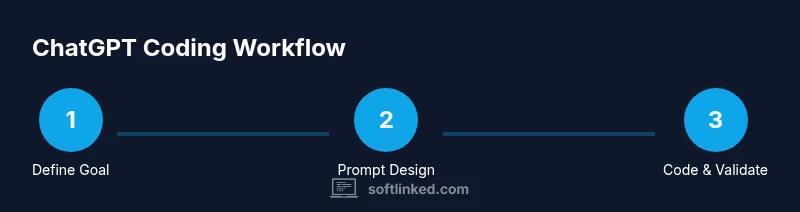
Start by defining a goal: “Create a small utility to parse and validate user data from a CSV, with robust error handling.” Design a template prompt and generate a module skeleton. Prompt for unit tests, then run them locally. Refine the code based on test results, and iteratively expand functionality. Throughout, document decisions in prompts and comments to maintain a clear audit trail for future contributors.
Tools & Materials
- Laptop/desktop with internet(Modern browser (Chrome/Edge/Firefox) or a terminal for CLI prompts)
- IDE or code editor(VS Code recommended for built-in linting and extensions)
- ChatGPT access (account or API)(Use a plan that supports code-related queries and file uploads if needed)
- Sample project repo(GitHub or local folder to organize prompts, code, tests)
Steps
Estimated time: 60-90 minutes
- 1
Define the coding goal and constraints
State the objective, language, libraries, and any performance or security constraints. Create a concrete acceptance criterion and test data. This clarity prevents scope creep and makes the AI output easier to verify.
Tip: Write a crisp one-paragraph goal and a 3-5 line acceptance test. - 2
Design precise prompts and templates
Draft prompts that specify inputs, outputs, environments, and edge cases. Include example data, desired formats, and debugging questions to guide AI reasoning.
Tip: Anchor prompts with a concrete example and expected result. - 3
Request code generation and scaffolding
Ask for modular code with clear interfaces (functions/classes) and minimal external dependencies. Request comments and docstrings for maintainability.
Tip: Start with a basic skeleton, then iterate on details. - 4
Review and refine with iterative prompts
Inspect AI outputs, validate against tests, and prompt for fixes or improvements. Use explanations to understand decisions and spot potential issues.
Tip: Ask for line-by-line explanations of complex logic. - 5
Test, lint, and verify correctness
Run unit tests, static analysis, and type checks. Validate edge cases and performance where relevant. Request edge-case coverage prompts if gaps appear.
Tip: Automate test execution and error reporting. - 6
Integrate with your environment
Show how to wire the generated code into your IDE, CLI, or build system. Provide a minimal run script or entry point to demonstrate usage.
Tip: Include a simple README with usage examples.
Your Questions Answered
Can ChatGPT replace a human programmer?
No. ChatGPT is a tool that assists with coding tasks, not a substitute for design, testing, and domain expertise. It can generate boilerplate, explain concepts, and propose solutions, but humans validate results and make architectural decisions.
ChatGPT helps with coding tasks, but it doesn't replace the need for human expertise and oversight.
What prompts work best for coding tasks?
Prompts that specify objective, constraints, data formats, and test cases tend to perform best. Include expected outputs, edge cases, and a request for explanations or comments to improve maintainability.
Be precise about inputs, outputs, and tests to get reliable code.
How do I test code generated by ChatGPT?
Run unit tests, linting, and type checks. Validate with real data and edge cases. Review logic for correctness and security before integrating into production.
Test thoroughly; validate with edge cases and maintainable checks before using in prod.
Is it safe to share my code with ChatGPT?
Avoid sending proprietary or sensitive code. Use redacted samples or non-production data when prompting. Establish policies for data handling and review AI outputs before sharing with external services.
Be cautious with sensitive code; redact or limit data in prompts.
Can I use ChatGPT inside my IDE?
Yes, many teams integrate AI-assisted prompts into their IDE workflows, using prompts to generate, annotate, or refactor code while keeping a local development loop.
You can integrate prompts into your editor workflow for quick, on-the-spot coding help.
What are common mistakes to avoid?
Over-relying on AI outputs, skipping tests, and neglecting readability. Always review, test, and refactor generated code to fit your project standards.
Avoid relying solely on AI; review and test all outputs.
Watch Video
Top Takeaways
- Treat ChatGPT as a coding partner, not a replacement
- Design precise prompts with clear goals and tests
- Iterate outputs with targeted prompts and verification
- Integrate AI-generated code into a real, tested workflow