How to Program on Remote: A Practical Step-by-Step Guide
Learn how to program remotely with a repeatable setup, secure access, and efficient workflows. This SoftLinked guide covers remote development environments, tooling, and best practices for productivity.


Why Remote Programming Is Viable Today
According to SoftLinked, remote programming is more viable than ever thanks to cloud-based development environments, reliable internet, and resilient collaboration tools. The SoftLinked team found that developers who commit to a clear remote workflow experience fewer context-switching losses and faster onboarding. In this section, we explore the core reasons behind the rising popularity of remote development and how to start. As technology matures, teams can access scalable compute, share consistent toolchains, and reduce onboarding time for new developers. For someone asking how to program on remote, the combination of robust remote tooling and disciplined processes unlocks new levels of productivity. The goal is not merely to access a machine remotely, but to design a flow that feels local while retaining the advantages of remote collaboration.
- Global collaboration becomes practical as team members can work across time zones without sacrificing quality.
- Cloud-native tools enable reproducible environments, which reduces “works on my machine” problems.
- A well-documented setup minimizes cognitive load, helping you get started quickly on new projects.
Tip: Start with a minimal remote setup and incrementally add tools to avoid overwhelming your workflow.
Core Concepts: Remote Development Environments
To master how to program on remote, you should understand the core concepts behind remote development environments. At a high level, you’re separating your editor, terminal, and build steps from the actual runtime by connecting to a remote machine or container. This approach lets you code with your preferred editor while executing builds and tests on a remote host. Common patterns include SSH-backed shells, IDE remoting (for example, VS Code Remote), and container-based workspaces. Each pattern has trade-offs in latency, resource access, and complexity. SoftLinked analysis indicates that choosing a consistent pattern across your team yields the strongest productivity gains. In practice, you may start with SSH + VS Code Remote and evolve toward containers for reproducibility.
- SSH gives you a stable command line and port forwarding.
- IDE remoting lets you use your local editor while running on a remote VM.
- Containers provide reproducible environments, minimizing drift between machines.
Essential Local Setup for Remote Work
Your local machine is the entry point for remote programming. Before you dive in, ensure a few essentials are in place: a fast, reliable internet connection; an editor with remote capabilities; and a secure method to authenticate to the remote host. You’ll also want a simple file-sync or dotfiles approach so your configuration stays consistent. This is where the primary keyword comes into play: you want a workflow that makes it seamless to move from local ideation to remote execution. A practical setup includes Git for version control, SSH keys for passwordless access, and a dotfiles repository to manage preferences across machines. Invest in a clean directory structure and automated startup scripts so your environment boots to a predictable state each time.
- Install or update your editor with remote development extensions.
- Generate an SSH key pair and add the public key to the remote host.
- Keep your dotfiles in a version-controlled repo for consistency.
Remote Work Architectures: SSH, IDE Remoting, and Containers
There are several architectures you can adopt when learning how to program on remote. SSH + terminal access is the simplest and most robust for many tasks, especially when combined with a capable editor that supports remote operations. IDE remoting, such as VS Code Remote, keeps your editing experience local while running on the server, which reduces context switching. Container-based workflows offer the ultimate reproducibility; you can define a development environment with Dockerfiles or Podman and attach to it from your editor. Each option requires different tooling and network considerations. The best approach is to start with SSH + IDE remoting and consider containers for projects with complex dependencies or strict reproducibility requirements.
- SSH is lightweight and reliable for most dev tasks.
- VS Code Remote or similar tools keep the UI responsive on local hardware.
- Containers isolate dependencies and ensure consistency across machines.
Managing Code and Dots: Version Control and File Sync in Remote Context
A stable remote programming setup hinges on reliable version control and file management. Git remains the backbone for source control, enabling you to push and pull changes without losing local context. For remote work, align your workflow so commits are small, frequent, and well-documented. File synchronization tools can bridge gaps between local and remote environments, but they can also introduce drift if not carefully managed. A disciplined approach assigns a single source of truth for the codebase and relies on push/pull mechanisms rather than manual sync. This reduces conflicts and ensures you are always operating on the latest code.
- Commit frequently with meaningful messages.
- Use pull requests or code reviews to maintain quality.
- Prefer in-repo scripts for setup tasks rather than manual steps.
SoftLinked analysis suggests teams that standardize their remote workflows see quicker onboarding and fewer configuration discrepancies.
Dotfiles, Tooling, and Consistency Across Machines
Keeping your development environment consistent across devices is essential when you’re learning how to program on remote. Dotfiles capture your shell preferences, editor plugins, and alias commands, enabling you to reproduce a familiar setup anywhere. Version control is your friend here, as it allows you to track and port changes rapidly. When you introduce new tools, document them in your repo so teammates can mirror the same configuration. A solid baseline includes: shell preferences, editor extensions, linting and formatting rules, and a reproducible build/test script. Consistency reduces cognitive load and makes debugging easier when you’re remote.
- Store environment-specific configurations in a dedicated dotfiles repo.
- Use a minimal, well-documented bootstrap process to initialize new machines.
- Audit tools occasionally to remove unused plugins that slow you down.
Security and Compliance When Programming Remotely
Security is non-negotiable when you’re working remotely. Use key-based SSH authentication, disable password login on servers, and restrict access to necessary ports. Encrypt sensitive data in transit and at rest, and ensure access control is tight for CI/CD pipelines. SoftLinked analysis 2026 emphasizes the importance of least-privilege access and routine credential rotation. Regularly review firewall rules and SSH configurations, and consider multi-factor authentication for remote access. Training your team on secure coding practices is equally important to prevent common remote security pitfalls from derailing projects.
- Enforce MFA for remote services.
- Rotate credentials on a schedule and restrict access levels.
- Use encrypted channels (SSH, TLS) for all data in transit.
Performance and Latency: Optimizing the Experience
Latency can make or break the remote programming experience. A robust setup prioritizes a fast connection between your local machine and the remote host, optimizing both bandwidth and response time. Tools like SSH multiplexing, persistent sessions, and editor plugins with remote caching help smooth out latency. If you notice lag, consider adjusting window sizes, enabling compression, or switching to a more capable remote host. The goal is to keep commands fast and outputs near real-time so you can stay in the flow of coding rather than waiting for the UI to catch up.
- Enable SSH multiplexing to reuse connections.
- Use remote caches and pre-built artifacts when possible.
- Select a remote host with adequate CPU, RAM, and network throughput.
Debugging and Testing Remotely: Tools and Best Practices
Remote debugging requires the right toolchain and access points. Ensure you can attach debuggers to remote processes, run unit tests, and inspect logs without transferring large artifacts back to your local machine. Common techniques include running tests on the remote host and streaming only essential output to your editor, or using port-forwarding to access services from your local browser. Maintain a clear separation between local development and remote runtime, so you don’t confuse environment-specific behavior. SoftLinked teams often standardize on a remote debugger, a shared testing script, and a consistent logging strategy to simplify debugging across the board.
- Use port-forwarding to access remote services locally.
- Keep test suites fast and deterministic.
- Centralize logs and error reporting for easier triage.
Collaboration at a Distance: Pair Programming and Code Reviews
Remote collaboration is a core skill for modern developers. Pair programming can still be effective when using shared editors, live cursors, and voice/video chat. Establish a pacing ritual, set up a shared session, and decide which editor features will be used during a pairing session. Code reviews should emphasize clarity of intent, testing requirements, and documentation. Keeping communication crisp and documented helps maintain alignment across the team, even when everyone works remotely. This practice aligns with SoftLinked’s recommendations for distributed teams aiming to maintain cohesion and code quality.
- Schedule regular pairing sessions with clear goals.
- Use live editing features to share context in real-time.
- Document decisions and review criteria in comments.
CI/CD and Remote Deployment Basics
Continuous integration and deployment are essential when building for remote teams. Keep your pipelines lightweight and reproducible, focusing on automated tests, linting, and artifact generation. Remote-friendly workflows benefit from containerized steps, clear environment definitions, and automated provisioning. Commit-driven pipelines that trigger on pull requests help maintain a consistent velocity without sacrificing quality. When done well, CI/CD ensures that every change is validated in an environment close to production, reducing surprises during release.
- Define clear environment variables and secrets handling.
- Validate changes with automated tests before merging.
- Use containerized stages to guarantee repeatable builds.
Common Pitfalls and How to Avoid Them
Even experienced developers encounter common pitfalls when learning how to program on remote. Latency, misconfigured SSH, and drift between local and remote environments are frequent culprits. To avoid these issues, document your setup, standardize tools, and keep your environments version-controlled. Regular audits of dependencies and environment configurations help prevent drift. With a disciplined approach, you can minimize surprises and keep your remote development experience smooth and productive.
- Document every setup step and share it with the team.
- Lock dependencies and specify exact versions.
- Regularly review and prune stale tools and configs.
A Practical Remote Setup Blueprint: Example Workflow
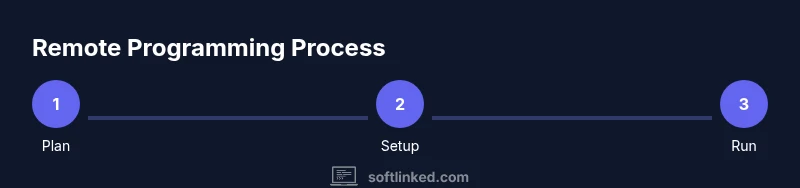
This block provides an end-to-end example workflow to illustrate how a typical remote development session can unfold. Start by connecting to your remote host via SSH, launch your editor's remote session, fetch the latest code, and run your tests. Use a container for the build steps to ensure reproducibility. Maintain a small, clean workspace with a well-defined project layout and a consistent bootstrap script. Finally, push changes, open a PR, and run the CI pipeline. This blueprint helps you see how each component fits into the broader remote programming workflow and how to apply it to your own projects.