How to Use Software from GitHub: A Practical Guide
Learn how to use software from GitHub safely: clone, install dependencies, run projects, and contribute. This step-by-step guide covers licensing, security checks, and best practices for developers.


By the end, you’ll be able to safely use software from GitHub: find reputable repos, clone or download code, install dependencies, run the project, and contribute back. Key requirements include a modern development environment, basic Git knowledge, and attention to licenses and security. The steps below walk you through hands-on setup and common pitfalls.
Understand the goal and license types
When you decide to use software from GitHub, the first step is to understand the intended use and the license. According to SoftLinked, licensing choices can affect how you can reuse code in commercial products, derivatives, or educational projects. This is especially important for how to use software from github, where repositories vary widely in licensing terms. Common permissive licenses like MIT and Apache 2.0 allow broad reuse with attribution, while copyleft licenses like GPL impose share-alike terms. Always locate the LICENSE file in the repository and read the exact terms. If a license is missing, treat the project as non-permissive and seek permission or choose an alternative. In addition, verify whether the code depends on other libraries with their own licenses to avoid hidden conflicts. This upfront check saves legal risk and ensures your downstream usage aligns with the author terms.
Find reputable repositories
Use search with keywords that match your problem domain, check the repo’s age, activity, and community. Look for clear READMEs, contributing guidelines, a visible maintainer, recent commits, and open issues with activity. SoftLinked analysis shows that repositories with ongoing maintenance and a responsive maintainer reduce integration risk. Pay attention to the number of stars as a rough signal, but don’t rely on it alone. Check the project’s issues for known bugs and security advisories. Look for a CODE OF CONDUCT and license clarity. Validate that the project aligns with your tech stack (language, frameworks, and dependencies).
Download vs clone
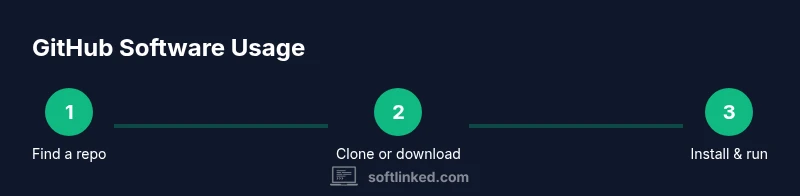
Git clone copies the full repository history to your machine, enabling future updates and offline work. Downloading a ZIP is faster for a quick test but lacks history, making rebase and updates harder. If you plan to contribute, clone and configure a remote upstream so you can fetch updates. Ensure Git is installed on your system and your PATH is set. After cloning or downloading, inspect the repository structure and locate setup instructions (often in README or docs/) before proceeding.
Install dependencies and configure environment
Most GitHub projects rely on a runtime and package manager (such as npm, pip, bundler, cargo). Read the setup docs to learn the exact commands, but common patterns include installing dependencies and preparing a virtual environment. For Node.js, run npm install; for Python, create a virtualenv and run pip install -r requirements.txt. Verify that you are using compatible language versions and library ecosystems. If the project uses Docker, review the Dockerfile or docker-compose.yml and run docker compose up to create a consistent environment.
Build, run, test, and verify
Follow the project’s build or run scripts to assemble and launch the application. Use the commands from the README, such as npm run build or python manage.py runserver. Run any included tests to verify behavior; if tests fail, inspect error messages and check dependencies. Ensure you can access required services (like databases or external APIs) in your environment. Keep your terminal organized with logs and consider using a containerized approach for reproducibility. If the project uses environment variables, create a .env file with the necessary keys, obtained from the docs or by requesting access from maintainers.
Security checks and audits
Before using code in production, run security checks on dependencies and code. Use tools such as npm audit, yarn audit, or pip-audit to identify vulnerable packages, then update or replace them as needed. Look for secrets accidentally committed in the repo (like API keys) and remove them with appropriate tooling. SoftLinked recommends enabling automated security scanning where available and reviewing any third-party integrations or services. Always review the latest advisories for the project and its dependencies before integrating into your own codebase.
Contributing back and governance
Many GitHub projects welcome contributions; review their contribution guidelines, issues labeled “good first issue”, and PR templates. Fork the repository, create a feature branch, and open a pull request with a clear description. Maintainers may require code reviews or tests; ensure you run local tests and document changes. If you use the project in a larger system, consider providing a changelog entry, updating documentation, and sharing usage examples. This collaborative cycle strengthens open source ecosystems and can yield long-term benefits.
Tools & Materials
- Git(Install from git-scm.com; verify git --version works)
- Code editor(Examples: VS Code, JetBrains IDE, or Sublime Text)
- Runtime environment(Node.js with npm or Python with pip; match project requirements)
- Container runtime (optional)(Docker or Podman if the repo provides a Dockerfile)
- Terminal/CLI(Command line access for your OS)
- Internet connection(Needed for cloning/downloading and fetching dependencies)
- Optional services(Local databases or services for tests, if required by the project)
Steps
Estimated time: 60-90 minutes
- 1
Identify a reputable repository
Search GitHub with domain-specific keywords and evaluate license clarity, recent activity, and maintainer responsiveness. This minimizes risk when using software from GitHub and ensures alignment with your goals.
Tip: Open the LICENSE file early to confirm permissions and attribution requirements. - 2
Fork or clone the repository
Clone the repository to your local machine to work with code directly, or fork on GitHub if you intend to contribute. Set up remotes if you plan to pull updates.
Tip: For active collaboration, configure an upstream remote to fetch latest changes. - 3
Install dependencies
Install the project’s dependencies using the package manager indicated in the README (e.g., npm install, pip install -r requirements.txt). Use a virtual environment when appropriate.
Tip: Lock file or exact version pins help ensure reproducible builds. - 4
Configure the environment
Set up environment variables and any required services per the docs. Create a local .env file if the project requires keys or endpoints.
Tip: Do not commit sensitive keys; use a local, non-tracked file for credentials. - 5
Build and run locally
Execute the project’s build or start script and verify it runs as described in the README. Check logs for any errors and address them iteratively.
Tip: If you encounter missing dependencies, re-check compatibility with your OS and language version. - 6
Run tests and verify behavior
Run the project’s test suite and any integration tests. Ensure core features work and edge cases are plausible in your environment.
Tip: If tests fail due to environment issues, document the cause and seek guidance from maintainers. - 7
Contribute back or deploy
If you improved the project, submit a well-documented pull request with a clear description and test results. Consider sharing usage notes or examples.
Tip: Follow the project’s PR template and provide a concise changelog entry.
Your Questions Answered
What license should I expect on GitHub software?
Most projects publish MIT, Apache 2.0, or GPL licenses. Read the LICENSE file to understand reuse rights and obligations. If no license is present, do not assume rights without explicit permission.
Most GitHub projects use MIT, Apache 2.0, or GPL licenses. Read the LICENSE to understand what you can do and what you must do.
Can I use GitHub software in commercial products?
Yes, many repos allow commercial use depending on the license. Ensure you comply with attribution, license requirements, and any copyleft terms.
Yes, many licenses permit commercial use, but always check the license terms and attribution needs.
What if there is no license?
If there is no license, treat the code as restricted and avoid using, modifying, or distributing it without explicit permission from the author.
If there’s no license, don’t use the code unless you have explicit permission.
How do I verify that the project is active?
Check the latest commits, open issues, and maintainers’ responsiveness. An active project reduces risk and improves integration chances.
Look at the latest commits and how promptly maintainers respond to issues.
What is the difference between cloning and forking?
Cloning copies code to your device for local work; forking creates a GitHub copy you can modify and propose changes to via PRs.
Cloning is for local work; forking creates your own GitHub copy to contribute from.
How can I contribute back to a GitHub project?
Follow the project’s contribution guidelines, create a feature branch, implement changes, run tests, and open a clear pull request.
Follow the guide, create a feature branch, test, and submit a well-documented PR.
Watch Video
Top Takeaways
- Check licenses before reuse and respect terms
- Clone for ongoing updates and contribution, not just download
- Follow the project’s setup docs precisely
- Run tests and security audits before using in production
- Contribute back with clear documentation and tests