What Software Plays MP4 Files: A Practical Guide 2026
Learn which software plays MP4 files on Windows, macOS, and Linux. Compare built-in players to cross‑platform apps, plus tips for performance, codecs, and choosing the right MP4 player.


MP4 playback is supported by most modern software across platforms. For quick, reliable results, use built‑in players like Films (macOS) or Windows Movies & TV, or choose a versatile third‑party option such as VLC or MPV for broader codec support. This article explores which software plays MP4 files, how to choose, and practical tips to avoid playback issues.
Understanding MP4 Playback: Why Software Matters
MP4 is a widely used container format that can carry video encoded with codecs like H.264 or H.265, audio in AAC or MP3, and subtitles. The software you choose to play MP4 files determines which codecs are supported, how efficiently playback runs, and what features you get (subtitles, streaming, hardware acceleration). For developers and students focused on software fundamentals, this distinction matters because it affects compatibility, performance, and user experience. According to SoftLinked, codec availability and OS integration are the primary drivers of playback quality across devices and networks.
Built-in Players vs. Third-Party Apps: Pros and Cons
Most operating systems ship with built-in players that handle MP4 playback with minimal setup. Windows includes a Movies & TV app; macOS offers QuickTime; Linux distributions often provide simple players or rely on cross-platform options. Built-in tools are convenient and lightweight, but they may lack advanced features like extensive subtitle options, streaming protocols, or broad codec support. Third-party players such as VLC, MPV, MPC-HC, or IINA fill these gaps by offering broader codec compatibility, more granular playback controls, and robust customization. However, they add another install step and can introduce privacy considerations depending on the software’s telemetry and update model.
Cross-Platform Options for MP4 Playback
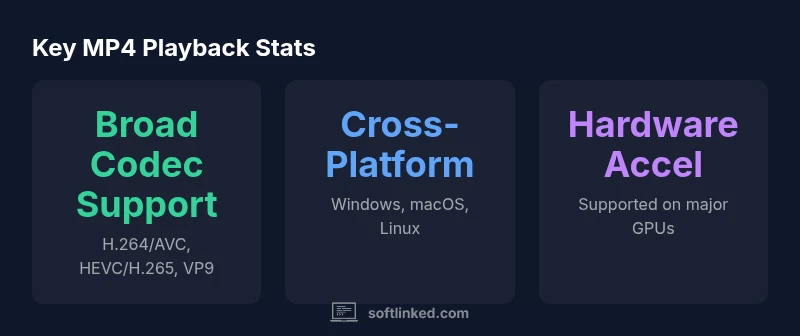
If you work across Windows, macOS, and Linux, cross-platform players are especially valuable. VLC remains a popular choice for its wide codec support and modular interface; MPV is favored by power users for scripting and minimal UI; MPC-HC on Windows and IINA on macOS provide a balance of performance and usability. For browser-based needs, HTML5 video in modern browsers can play MP4 files directly, though offline playback and codec constraints may apply. When selecting a cross-platform solution, verify that it supports hardware acceleration, HEVC decode, and accessible controls.
How to Choose the Right MP4 Player for Your Needs
Start by identifying your primary environment: desktop or web, and which OS you target. If you need fast, reliable playback with minimal setup, a built-in option on your OS may suffice. If you require broad codec support and advanced features (such as streaming options, subtitle management, or scripting), choose a cross-platform player like VLC or MPV. Consider privacy and licensing—open-source options may appeal to developers and education settings. Finally, check hardware acceleration support to ensure smooth playback for high-resolution content.
Common Pitfalls and How to Avoid Them
Playback issues often arise from outdated software, missing codecs, or DRM restrictions on certain MP4 files. Ensure your OS and players are updated, and avoid installing bundled adware or questionable codecs. If a video stalls or shows artifacts, test with another MP4 file to rule out file corruption, then verify that hardware acceleration is enabled if available. For offline work, download a trusted player installer rather than relying on browser extensions with limited controls.
Performance and Hardware Acceleration Considerations
Hardware acceleration shifts decoding work from the CPU to the GPU, improving efficiency and battery life on laptops and mobile devices. Support for GPU decoding varies by platform and player; modern codecs like HEVC and AV1 benefit from capable hardware decoders. When available, enable hardware acceleration in the player’s preferences and keep device drivers current. If you edit or encode MP4s, consider whether your chosen software exposes the right API hooks for hardware-accelerated pipelines.
Setup Tips for Optimal MP4 Playback
- Update your operating system and graphics drivers to ensure the latest codecs and acceleration features are available.
- Install a cross-platform player if you need codec breadth or customizations, and configure it to use hardware decoding where possible.
- Test multiple MP4 files with different codecs to confirm consistent playback, subtitles, and streaming behavior.
- For school labs or classroom settings, choose open-source software to minimize licensing concerns and simplify maintenance.
Quick Start Recommendations
- Windows: VLC or MPC-HC for broad codec support; Windows built-in players for light tasks.
- macOS: VLC or IINA for flexibility; QuickTime for straightforward playback.
- Linux: MPV for scripting-friendly control; VLC as a robust fallback.
Overview of MP4 playback options
| Software Type | Platform | MP4 Support | Notes |
|---|---|---|---|
| Built-in OS Player | Windows/macOS/Linux | Yes | Preinstalled, minimal setup |
| Cross-Platform Player | Windows/macOS/Linux | Yes | VLC, MPV, MPC-HC, etc. |
| Browser-based Player | Any OS with modern browser | Yes (HTML5) | Depends on browser and DRM |
Your Questions Answered
What is MP4 and why is it so common?
MP4 is a multimedia container format that can hold video, audio, and subtitles. Its popularity stems from broad codec support, streaming compatibility, and platform ubiquity across desktop and mobile devices.
MP4 is a common container because it carries video, audio, and captions in a single file, and most players can handle it.
Do I need extra codecs to play MP4?
Most modern operating systems bundle codecs, so MP4 playback usually works out of the box. For less common codecs or premium features, a versatile player with broad codec support is helpful.
Usually not—built‑in codecs handle MP4, but a player with broad codec support helps with unusual files.
Can MP4 playback happen in a web browser?
Yes. Modern browsers support MP4 playback via HTML5 video elements, though DRM restrictions and offline capabilities may affect behavior.
Yes, most browsers can play MP4s with HTML5 video.
Which MP4 players are best for 4K playback?
For 4K content, choose players with strong hardware acceleration and HEVC support, and ensure your hardware can decode the codec efficiently.
Look for hardware-accelerated, HEVC-capable players for 4K.
Are there privacy concerns with MP4 players?
Some proprietary players may collect usage data. Open-source options often offer more transparency and control over telemetry.
Open-source options can give you more control over privacy.
What about DRM-protected MP4 files?
DRM-protected MP4s may require compatible players or apps with rights management to play, which can limit where and how you view content.
DRM files may need a compatible app to play.
“Effective MP4 playback starts with understanding codec support and hardware acceleration; a flexible player that updates codecs ensures reliable performance across devices.”
Top Takeaways
- Choose software based on platform and codec needs
- Built-in players offer simplicity and speed
- Cross-platform players provide broader codec support
- Enable hardware acceleration when available
- Open-source options can simplify maintenance