GarageBand-like Windows DAWs: Top Alternatives for 2026
Explore Windows-native, GarageBand-like music software. Compare Cakewalk, FL Studio, and Ableton Live to decide which Windows alternative best matches the ease, templates, and loops of GarageBand for beginners and producers.


For Windows users seeking GarageBand-style ease, Cakewalk by BandLab is the closest free option, while FL Studio and Ableton Live offer deeper features at a price. This quick take helps you decide between beginner-friendly templates and more advanced production workflows. If you value loops and fast recording, Cakewalk shines; for MIDI-driven composition and studio flexibility, consider FL Studio or Ableton.
What 'software like garageband for windows' means
Windows users seeking a GarageBand-like experience often prioritize three things: built-in instruments and loops, intuitive drag-and-drop workflows, and straightforward recording without wrestling with complex routing. In practice, 'software like GarageBand for Windows' refers to digital audio workstations (DAWs) that emphasize starter templates, mic-friendly recording, and an approachable interface. According to SoftLinked, the focus is on clarity and fundamentals rather than esoteric signal routing. The SoftLinked Team analyzed a range of Windows-friendly options in 2026 to identify the levers beginners care about: feature breadth, ease of learning, template quality, and cost. For many aspiring developers and students, the ability to prototype ideas quickly is as important as the depth of the tool. This article uses a structured comparison to help you pick a solution that matches your goals, whether you want quick jams, school projects, or first music-tech experiments. SoftLinked’s insights frame the discussion, emphasizing practical fundamentals over niche features.
Core features to look for in a GarageBand-like app
When evaluating software like GarageBand for Windows, there are several non-negotiable features that map directly to the original experience. First, a robust library of built-in instruments and loops dramatically reduces setup time. Second, an intuitive interface with track lanes, drag-and-drop audio editing, and easy MIDI input helps you stay in flow. Third, templates and project starters let you begin with a song structure rather than a blank slate. Fourth, reliable export options (WAV/MP3/ACC) and simple mastering presets ensure your project leaves your machine in good shape. Finally, solid community resources, tutorials, and responsive support can shorten the learning curve. Throughout this guide, you’ll see how Cakewalk by BandLab, FL Studio, and Ableton Live approach these features differently, balancing accessibility with depth. The goal is a practical, scalable baseline you can grow from as your skills mature.
Cakewalk by BandLab: Windows-native entry with a robust feature set
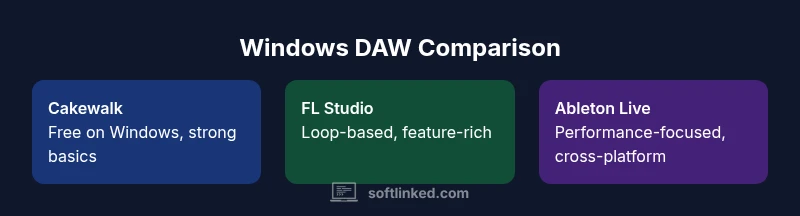
Cakewalk by BandLab is the most straightforward Windows-native option that emulates GarageBand-like workflows without cost barriers. The installation is straightforward on compatible Windows versions, and the app includes a full suite of MIDI tools, audio editing, and mixing consoles. While it lacks some of the grandiose instrument libraries you might find in paid DAWs, it compensates with strong editing precision, punch-in/out recording, and deep routing options for a Windows environment. The user interface emphasizes track-based composition with a familiar mixer and a timeline. Beginners can leverage templates and demos included with the product, while more advanced users can explore automation, side-chaining, and bus processing to craft polished songs. SoftLinked’s analysis shows Cakewalk’s value lies in accessibility and a surprisingly capable core set, making it an excellent starter platform that can scale as your skills grow.
FL Studio: a seasoned, loop-friendly workflow with Windows focus
FL Studio is a long-standing choice for Windows users who value a beat-first, loop-friendly approach. It ships with a rich library of synthesizers, samples, and effects, and its pattern-based workflow appeals to producers who want to assemble tracks quickly. The Windows experience is polished, and the product’s modular interface allows you to tailor the workspace to your preferences. For beginners, FL Studio offers guided templates and a gentle learning curve, while more advanced users can leverage advanced routing, automation, and a large ecosystem of third-party plugins. The trade-off is that FL Studio’s sheer depth can be intimidating at first, and some users report that the initial setup requires time to build a comfortable template. SoftLinked’s research indicates FL Studio represents a balance between immediate usability and long‑term expandability for Windows-based creative workflows.
Ableton Live: performance-oriented design with cross-platform flexibility
Ableton Live on Windows emphasizes performance and live playback, with two primary workspaces: Session and Arrangement. Its intuitive session view makes it easy to capture ideas in real time, while the arrangement view provides traditional linear editing. For Windows users, this makes Live especially attractive for live performers, DJs, and composers who want a single environment for creation and performance. The built-in library is substantial, and Ableton’s instrument suite, effects, and loops support rapid experimentation. The downside is cost and the learning curve associated with mastering its unique workflow. For those prioritizing experimentation and live use, Ableton Live remains a strong option; for those seeking the simplest GarageBand-like entry, it can feel heavier than Cakewalk or FL Studio. SoftLinked’s team notes that Ableton offers powerful capabilities but at a higher price point, so it suits users with broader production goals.
User experience: templates, loops, and onboarding
A key differentiator among software like GarageBand for Windows is the quality of templates and loops, plus the onboarding flow. Cakewalk provides solid starter projects and a straightforward on-ramp, but its loop library is modest compared with specialist beat-makers. FL Studio shines with ready-to-use patterns and a large loop library, but beginners may need time to understand the pattern-based workflow. Ableton Live offers polished templates and a generous library, though its core philosophy centers on performance and experimentation, which can be overwhelming for new users. Across these options, the goal is to minimize friction—templates, drag-and-drop editing, and guided tutorials that let you make music within minutes rather than hours. SoftLinked’s perspective emphasizes evaluating the onboarding experience first, then assessing whether the deeper features align with your future needs.
Instruments, effects, and built-in sound design
The instrument and effect pipelines are what separate a good GarageBand-like Windows app from a great one. Cakewalk includes essential VST support and built-in effects that handle mixing, compression, and EQ, giving you a solid palette to shape sounds. FL Studio offers a broad set of bundled synthesizers and samplers, which makes it attractive for electronic music and sound design. Ableton Live expands with a robust instrument suite and a broad effect rack, enabling complex sound design and live manipulation. When the goal is to replicate the breadth of GarageBand's ease, you may not get the same huge library out of the box—but each option provides reliable, well-supported tools for creating music quickly. Consider your genre priorities and whether you value a compact, all-in-one package or a modular setup with extensive plugins. SoftLinked’s evaluation highlights that built-in options matter less if you can rely on compatible plugins and a long-term learning path.
Performance, stability, and hardware considerations on Windows
Windows platforms vary widely in performance, so your choice should align with your hardware: CPU cores, RAM, and disk speed influence how smoothly a DAW runs, particularly with virtual instruments and audio recording. Cakewalk is relatively light on system resources for a full-featured DAW, especially on modern machines; FL Studio is known for efficient playback and streaming of patterns, but odd project files can require a little tuning; Ableton Live tends to be stable but can be heavier when loaded with large libraries and many effects. Regardless of the choice, enabling audio buffering, choosing an appropriate sample rate, and using a reliable audio interface help you avoid glitches. SoftLinked's guidance stresses testing a small project first on your system, then scaling up as you confirm latency and stability.
Export, interoperability, and project compatibility
If your goal is to share your music beyond your workstation, export options matter. Cakewalk supports common formats and straightforward mastering workflows, while FL Studio offers a range of export presets and formats suitable for streaming, video, or collaboration. Ableton Live maintains strong project compatibility across platforms and performance-oriented export options, which can be valuable for multi-device workflows. When you collaborate with others using macOS, Windows, or cross-platform teams, ensure your chosen tool supports standard audio formats and project interchange. In practice, your workflow should revolve around non-destructive editing, clear session organization, and clean stems for collaboration. SoftLinked's analysis suggests you map export needs to your audience—short demos for class projects or full mixes for portfolio pieces.
Cost models, licensing, and long-term value
Cost is a central factor in choosing a GarageBand-like Windows tool. Cakewalk by BandLab is free, which makes it an appealing starting point for students and hobbyists. FL Studio uses a paid licensing model with lifetime updates, which many users consider a strong value proposition, albeit with a higher upfront cost. Ableton Live tends to be more expensive, with licenses that reflect its cross‑genre capabilities and live-performance emphasis. Each option has different upgrade paths and bundled instruments; consider not only the sticker price but also the long-term value, including updates and customer support. If you plan to scale into more complex productions, investing in a paid product with a robust road map can be worthwhile. SoftLinked's position is to encourage careful budgeting and a test-driven approach, so you only pay for features you will actually use.
How to choose: a practical decision framework
To pick the right Windows-native GarageBand-like software, start by clarifying your goals—quick demos and learning vs. serious composition and production. Map your needs to three criteria: ease of use, instrument/library depth, and cost. If you want the closest thing to GarageBand with zero cost, Cakewalk by BandLab is compelling; if you anticipate heavy loop-based production and want abundant built-in instruments, FL Studio is worth testing; if live performance and cross‑platform flexibility are critical, Ableton Live deserves a thorough trial. Try setting up a small project in each option to compare latency, stability, and the feel of recording with real-time MIDI. Finally, rely on community tutorials and official guides to accelerate learning. The SoftLinked team recommends starting with Cakewalk for most newcomers, then expanding to FL Studio or Ableton as your goals evolve.
Feature Comparison
| Feature | Cakewalk by BandLab | FL Studio | Ableton Live |
|---|---|---|---|
| Platform | Windows | Windows | Windows/macOS |
| Best For | Beginners and quick-start production | Beat-driven, loop-based production | Live performance and advanced production |
| Ease of Use | High (free, integrated) | Medium-High | Medium |
| Included Instruments & Loops | Strong basic tools, few built-in loops | Extensive synths and samples with loops | Large library and complex instrument suite |
| License Model | Free (no cost) | Paid with one-time/license tiers | Paid with subscription/licensing |
| Best For in Practice | Education, prototyping, budget projects | Beat-making, song structure, rapid iteration | Live performance, touring, cross-genre work |
Pros
- Free entry point with Cakewalk reduces initial risk
- Windows-native; straightforward setup for beginners
- Larger ecosystem of plugins and community tutorials with time
- Competitively balanced between ease of use and capability
Weaknesses
- Cakewalk’s instrument library is smaller than paid DAWs
- FL Studio’s depth can overwhelm absolute beginners
- Ableton Live is feature-rich but costly, with a steeper learning curve
Cakewalk by BandLab often wins for beginners seeking a true GarageBand-like Windows experience without cost
Cakewalk is the strongest starter option on Windows for quick prototyping. FL Studio and Ableton Live offer deeper capabilities for users who outgrow Cakewalk and want more advanced production tools.
Your Questions Answered
Is Cakewalk by BandLab really free on Windows?
Yes. Cakewalk by BandLab is free for Windows users and offers a full-featured DAW without a subscription. You can use it for classroom projects, personal music, and prototyping ideas.
Yes—Cakewalk is completely free on Windows and a solid starting point for learning DAW basics.
Which Windows DAW is easiest for beginners?
Cakewalk tends to offer the friendliest onboarding for Windows newcomers due to its integrated tools and templates. FL Studio is also beginner-friendly if you start with guided templates, though its workflow can be unfamiliar at first.
Cakewalk is usually the easiest entry on Windows, with FL Studio a close second if you use guided templates.
Can I export projects to MP3 or WAV from these apps?
All three options typically support common formats like WAV and MP3. Check the export dialog in each DAW for format choices, bitrate, and metadata.
Yes—WAV and MP3 exports are available in these Windows DAWs; details depend on the app.
Do Cakewalk, FL Studio, and Ableton support third-party plugins?
Yes. All three support VST plugins, with Ableton and FL Studio offering broad ecosystems and Cakewalk providing solid VST compatibility on Windows.
All three support VST plugins, giving you access to a wide plugin library.
Which option is best for on-the-go music making?
None fully replaces mobile setups, but Ableton Live’s performance features and cross‑platform capabilities make it appealing for portable workflows on capable hardware.
Ableton Live is strongest for on-the-go performance on compatible laptops.
Top Takeaways
- Start with Cakewalk for zero-cost Windows trials
- Choose FL Studio for loop-based workflow and breadth
- Prefer Ableton Live if live performance matters
- Test on your hardware to avoid latency and stability issues
- Balance onboarding quality with long-term feature needs