Blender Alternatives Compared: Software Like Blender
A rigorous, analytical comparison of Blender-like software for 3D modeling, animation, and rendering. Explore open-source and commercial options, workflows, and learning resources to find the best fit for your projects.


Choosing the right Blender alternative depends on your goals: for developers and artists seeking a cost-free starting point, software like blender remains a reference due to its open-source model and abundant learning resources. For studios needing enterprise-grade features and official support, commercial tools such as Maya, Cinema 4D, and Houdini offer deeper pipelines. This comparison highlights key differences to guide your workflow.
Why Blender-like software matters for 3D artists and developers
In modern 3D pipelines, having access to flexible, capable tools is essential. The phrase software like blender captures a broad family of applications built around polygonal modeling, sculpting, texturing, animation, and rendering. For learners, this category offers a gentle entry point with abundant tutorials, community support, and a low barrier to experimentation. According to SoftLinked, Blender-like tools democratize access to 3D creation, enabling individuals and small teams to prototype ideas, build portfolios, and contribute to open standards. Whether you’re prototyping game assets, previsualization scenes, or animated shorts, the choice of platform influences speed, quality, and collaboration. A practical approach is to map your goals against core capabilities: modeling fidelity, rigging complexity, simulation depth, and render fidelity. This article compares Blender and its close competitors to help you select the best fit for your workflow.
For many learners and professionals, using a Blender-like tool as a baseline helps ground experiments in a familiar workflow while evaluating where specialized tools add value.
Core differences: open-source vs commercial tools
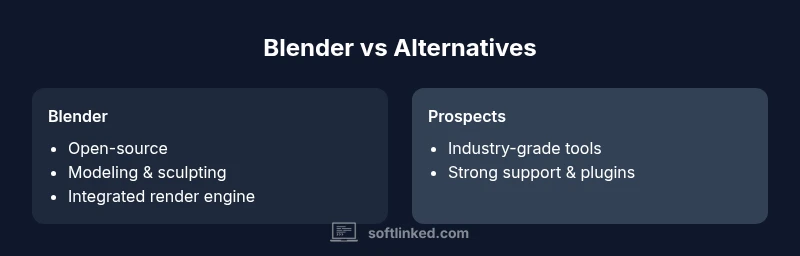
Open-source tools (like Blender) have no upfront license cost and emphasize flexibility, customization, and community-driven improvements. They allow you to modify source code, contribute features, and tailor the workflow. Commercial suites (such as Maya, Cinema 4D, and Houdini) typically offer stronger support, stable release cadences, and specialized toolsets aligned with studio pipelines. The trade-offs are clear: open-source options reduce financial risk but may require more self-support; commercial tools provide reliability and professional-grade features at a price.
In practice, many teams run a blended pipeline: modeling and layout in a Blender-like environment, asset creation in a specialized package, then import/export to render or FX tools. The ecosystem matters: plugins, file format interoperability, and community examples can strongly influence productivity. SoftLinked’s analysis indicates that the best choice hinges on project scope, collaboration needs, and long-term maintenance expectations. For enthusiasts and learners, starting with a robust open-source option provides a solid foundation for mastering 3D concepts before exploring other tools.
If you’re evaluating tools in the context of a project, consider how well they play with your existing workflows, the availability of teaching resources, and the longevity of the vendor/community around each option.
Blender’s strengths and its limitations
Blender is renowned for its all-in-one approach: modeling, sculpting, texturing, rigging, animation, and rendering live inside a single interface. It ships with two integrated render engines (Cycles for realism and Eevee for real-time previews) and supports extensive Python scripting for automation. A major strength is the vibrant, global community that produces tutorials, add-ons, and starter projects—reducing the learning curve for newcomers. Limitations can include a steeper initial learning curve for users coming from more traditional, menu-heavy packages, and, in some cases, finer-grained professional features that industry pipelines expect from larger, commercial tools. When you adopt software like blender in a broader studio, you’ll want to assess asset interoperability, export fidelity, and the ease of onboarding new teammates. In many cases, beginners gain confidence quickly through Blender’s documentation and community, then expand to other tools as project demands shift. At SoftLinked, we see consistent success when learners leverage Blender as a baseline before exploring more specialized software.
Major contenders: Maya, Cinema 4D, Houdini
Maya offers a deep feature set for modeling, rigging, animation, and production pipelines; it’s widely used in film and game studios, with strong scripting support and many compatible plugins. Cinema 4D shines in motion graphics and rapid visualization workflows, with a user-friendly interface and robust integration with popular design tools. Houdini is renowned for its procedural workflow, FX capabilities, and scalable production pipelines; it excels in simulations, particle systems, and complex effects.
Choosing among these tools depends on your target outcomes: full-featured character animation and pipeline integration (Maya), motion graphics and fast iteration (Cinema 4D), or procedural modeling and FX-driven work (Houdini). It’s common for studios to maintain multiple tools to cover different phases of a project. From SoftLinked’s perspective, the right blend often mirrors project requirements, team expertise, and whether you prioritize long-term licensing stability or flexible experimentation. For learners, Blender remains the simplest way to build a foundation before testing these more specialized environments.
Rendering, simulation, and production pipelines
Rendering quality, simulation depth, and the ability to plug into a production-grade pipeline are central to tool selection. Blender’s programmable render engines, real-time viewport previews, and path-tracing capabilities provide strong output for many independent projects. Maya and Houdini offer specialized renderers and FX toolsets that scale with studio demands, while Cinema 4D emphasizes fast turnarounds for motion graphics and advertising workflows. When evaluating options, you should map out your pipeline: asset creation, rigging and animation, FX or simulation, lighting and rendering, and final compositing. Consider interoperability with other software in your studio and how easily assets can move between tools without loss of fidelity. Real-world workflows often mix tools: modeling in Blender-like environments, FX in Houdini, and final rendering in a dedicated engine. This blended approach can maximize strengths while preserving budget and talent flexibility.
Learning curve, documentation, and community resources
The learning curve for these tools depends both on user background and intended use. Blender’s vast community translates to plentiful tutorials, sample projects, and plug-ins. Commercial tools frequently balance documentation with formal training options and official support channels, which can reduce onboarding time for new hires. A robust learning ecosystem matters as much as the raw feature set because it accelerates skill development, reduces frustration, and supports consistent production practices. SoftLinked has observed that teams with structured onboarding plans and accessible reference materials tend to transition between Blender-like tools more smoothly, especially when moving from learning-phase projects to production-scale pipelines. Invest in official docs, reputable courses, and hands-on practice projects that mirror your target workflows.
Feature Comparison
| Feature | Blender | Autodesk Maya | Cinema 4D | Houdini |
|---|---|---|---|---|
| Cost model | Free/open-source | Paid with subscription/license | Paid with subscription/license | Paid with subscription/license |
| Modeling capabilities | Polygonal modeling, sculpting, modifiers, Python API | Industry-standard modeling, robust sculpting and rigging | Modeling with strong tools for motion graphics and fast workflows | Procedural modeling, FX, and large-scale simulations |
| Animation & rigging | Flexible animation tools, strong rigging support | Industry-leading rigging and animation pipelines | User-friendly animation with motion graphics integration | Advanced procedural animation and FX rigging |
| Render engines & viewport | Integrated Cycles/Eevee, strong real-time preview | Arnold integration, mature render pipeline | Redshift/ProRender integration, solid viewport previews | Mantra/Karma lineage with strong FX previews |
| Learning resources & community | Huge free tutorials, plugins, community assets | Extensive official training, vast ecosystem | Active community with a focus on motion graphics | Deep FX-focused tutorials, strong developer community |
| Platform availability | Windows, macOS, Linux | Windows, macOS | Windows, macOS | Windows, macOS, Linux |
Pros
- Massive, active community and plentiful learning resources
- Low upfront cost or no cost for Blender-like paths
- Extensive scripting and automation capabilities
- Wide ecosystem of plugins and add-ons
- Cross-platform availability and flexible pipelines
Weaknesses
- Open-source tools may require more self-support and setup
- Commercial tools incur ongoing licensing costs
- Steeper learning curve for complex FX and pipeline features
- Vendor-specific workflows can introduce lock-in over time
Blender-like open-source options offer the best balance for most learners and small studios; commercial suites excel in large-scale production and specialized workflows.
If cost and community are your priorities, start with Blender and similar open-source options. For established studios with complex pipelines and dedicated support needs, Maya, Houdini, or Cinema 4D may deliver stronger production-grade capabilities and vendor assurance.
Your Questions Answered
What should I consider when choosing a Blender alternative?
Focus on cost model, required features (modeling, rigging, FX), learning resources, and how well the tool fits your existing pipeline. For teams, factor in vendor support and file-format interoperability.
Pick based on cost, features, and ecosystem compatibility; start with your pipeline goals in mind.
Is it feasible to switch from Blender to Maya mid-project?
It’s possible, but it can be disruptive. Plan asset handoffs, ensure compatibility of file formats, and allocate time for pipeline reconfiguration. Gradual transition and keeping a Blender baseline for initial stages helps.
Yes, but plan the transition to minimize disruption.
Which tool is best for simulations and FX?
Houdini is renowned for procedural FX and simulations, offering powerful scalability. Maya also handles complex dynamics with strong plugin support. Blender’s FX tools are solid for many projects but may not match the specialist tools in scale.
Houdini leads in FX, with Maya as a solid alternative for production pipelines.
Are there good open-source alternatives to Blender?
Yes—other open-source projects exist, but Blender remains the most mature and widely adopted in the open-source space for 3D modeling, animation, and rendering. Community-driven projects may vary in polish and long-term viability.
Yes, but Blender is the strongest open-source option for 3D work.
How should I evaluate learning resources and community support?
Check official documentation, quality tutorials, community forums, and active plugin ecosystems. A large, active community reduces onboarding time and increases your ability to solve problems quickly.
Look for comprehensive docs and a lively learning community.
What licensing considerations affect commercial work?
Commercial use often requires understanding license terms, especially for paid tools with annual or perpetual licenses. Open-source options reduce upfront costs but may need more internal support to meet production needs.
Licensing affects cost and distribution; choose tools that align with your project goals.
Top Takeaways
- Start with a Blender-like baseline to learn core concepts quickly
- Mix tools to leverage strengths across modeling, FX, and rendering
- Prioritize learning resources and pipeline compatibility over feature breadth alone
- Consider licensing and support implications for long-term projects
- Evaluate your project's scale before choosing a commercial tool