How to Apply for Leave: A Complete Step-by-Step Guide
Learn how to write and submit a leave request, choose the right leave type, prepare documentation, and track approval with clear templates and a practical workflow. This SoftLinked guide covers common scenarios and best practices for 2026.


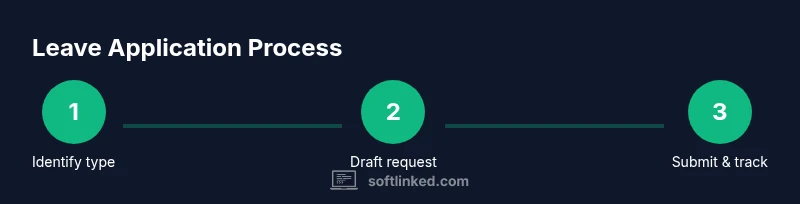
By the end of this guide, you will know how to apply for leave, select the correct leave type, prepare supporting information, write a clear request, submit through the proper channel, and track approvals. According to SoftLinked, using templates speeds approvals and reduces back-and-forth. This quick-start answer helps you begin with the right templates and channel choices.
What qualifies as leave and who can request it
If you are wondering how to application for leave, start by understanding what counts as leave and who may request it. In most organizations, paid or unpaid time off is managed under a formal policy that defines leave types (annual, sick, compassionate, parental, jury duty, etc.) and eligibility. The SoftLinked team emphasizes aligning requests with policy, ensuring you have the right reason, dates, and approval from the appropriate supervisor or HR representative. Familiarize yourself with your company’s leave policy, including notice requirements, blackout periods, and documentation expectations. Knowing these basics helps you avoid delays and sets a professional tone for your request. Additionally, consider your current workload and how work will be covered during your absence to minimize disruption for your team.
- Key takeaway: Start with policy clarity and a concrete plan for coverage.
- Practical note: If your organization uses a portal, review the default fields before drafting the request to prevent missing information.
Preparing your leave request: documents and info
A well-prepared leave request starts with gathering the right information and documents. Before you draft the email or portal submission, collect the essential details: type of leave (annual, sick, parental, etc.), start and end dates, expected return date, contact preferences during leave, and a brief rationale if required by policy. You may also need supporting documents for certain leave types, such as medical certification for sick leave or a birth certificate for parental leave, depending on your jurisdiction and company rules. Having a ready-to-attach handoff plan or knowledge transfer notes helps your manager feel confident about coverage. If you work with a team, prepare a short handover summary outlining ongoing tasks, deadlines, and who will cover critical responsibilities.
- Pro tip: Use a standardized leave request template to ensure consistency and speed up approvals.
- Common pitfall: Missing or outdated contact information can slow down responses from HR or your manager.
Choosing the right leave type and timing
Selecting the correct leave type is essential, as it affects pay, benefits, and policy usage. Review your policy to determine whether your absence qualifies as paid time off, unpaid leave, or a combination (partial days, half-days). Consider how your absence aligns with project timelines, critical milestones, and team capacity. If possible, schedule non-urgent leave during slower periods to minimize impact. When deciding timing, factor notice requirements and whether advance planning improves approval odds. For example, some organizations reward early requests with priority handling, while last-minute changes may require additional approvals or exceptions.
- Tip: If you’re unsure about a leave type, ask HR for a quick interpretation before drafting the request.
- Warning: Avoid stacking multiple leave events back-to-back if it would create significant team disruption.
Writing the leave request: templates and phrasing
Clear, concise language is the backbone of a strong leave request. Start with a professional subject line (or portal headline) and a brief opening that states the type of leave, dates, and reason. Use bullet points for dates, handover plans, and contact preferences. Include a short justification only if policy requires it, and reference the relevant policy section to show alignment. Below are two templates you can adapt:
-
Formal email template:
- Subject: Leave Request: [Your Name] [Dates]
- Body: Dear [Manager], I am requesting [type] leave from [start date] to [end date]. I will ensure coverage by [handover plan], and I can be reached at [contact method] during leave if urgent. Please let me know if you need additional details. Best regards, [Your Name].
-
Portal/template message:
- Leave Type: [type] Start: [date] End: [date] Reason: [brief justification] Handover: [name/contact]
- Attachments: [handover document, medical certificate if required].
-
Quick Slack/IM note: Short and respectful, suitable for urgent but non-formal requests.
-
Pro tip: Tailor your tone to your company culture while staying professional.
-
Common mistake: Overloading the request with extraneous details or vague reasons.
When in doubt, mirror the wording used in approved templates in your HR system to avoid misinterpretation.
Submitting and tracking the request: channels and follow-up
Submit through the official channel your organization designates, whether that’s an HR portal, email, or a direct manager confirmation form. After submission, save a copy and note the submission timestamp. Set a reminder to follow up if you haven’t received an acknowledgment within the policy's expected window. If the leave requires additional approvals (e.g., department head or HR), keep your line manager informed about any status changes and be prepared to provide clarifications. Maintain transparent communication with your team about coverage and deadlines to reduce operational risk. If your system provides a tracking feature, use it to monitor status and update your handover documentation as needed.
- Pro tip: Include your manager in the initial notification to align on expectations from day one.
- Warning: Do not assume automatic approval; delays can occur if information is incomplete.
Common pitfalls and how to avoid delays
Even small mistakes can delay leave approvals. Common issues include missing dates, incorrect leave type, or incomplete handover details. Always double-check dates against project calendars and blackout periods. Ensure your contact preferences are accurate so HR or your manager can reach you if questions arise. If you anticipate a busy period, consider proposing alternate dates or a shorter absence. Keep all communication professional and proactive, avoiding last-minute changes that complicate planning. Lastly, verify that any required supporting documents are attached and viewable by the approver.
- Pro tip: Use a checklist to verify every field before submission.
- Warning: Submitting without the proper supporting documents can trigger automatic rejections.
Manager approvals: what to expect and how to respond
Most leave requests follow a multi-step approval flow. Expect an acknowledgment from HR or your manager, followed by an approval or request for clarification. Respond promptly to any questions and provide requested documents or adjustments. If your request is delayed, politely ask for a status update and a realistic timeline. In some cases, a temporary replacement plan will be needed to reassure stakeholders that work will continue smoothly. If your leave coincides with critical deadlines, be ready to negotiate dates or adjust scope to minimize disruption.
- Pro tip: Proactively propose a plan for coverage during your absence.
- Warning: Do not escalate to HR unnecessarily; give the manager a chance to provide context first.
After approval: handover and record-keeping
Once approved, finalize the handover documentation and share it with your replacement and manager. Update any internal calendars or project boards to reflect your absence and reschedule meetings if needed. Confirm the return date and any check-in requirements on your first day back. Maintain a personal record of the approved leave for future reference and ensure your payroll or benefits reflect the absence as required by policy. Finally, reflect on what went well and note any improvements for future leave requests.
- Pro tip: Create a short post-leave recap to help teammates catch up quickly.
- Warning: Do not delete the approved leave record from your file; it serves as an important audit trail.
Quick-start templates you can copy
To save time, keep a ready-to-use template for different leave types. Adapt the placeholders to your dates, type, and policy. Store these templates in your preferred note tool or HR platform so you can reuse them for future requests. Regularly update templates to reflect policy changes and organizational needs.
Tools & Materials
- Employee identification(Employee ID or badge number as verification)
- Dates of leave(Exact start and end dates, including half-days if any)
- Leave type(Approved category (annual, sick, parental, etc.))
- Handover plan(List of ongoing tasks and coverage by colleagues)
- Manager and HR contacts(Preferred channels for approval and questions)
- Supporting documents(Medical certs, supporting notes, or policy references if needed)
Steps
Estimated time: 1-2 weeks
- 1
Identify leave type
Review policy to determine whether your absence is paid leave, unpaid leave, or a combination. Choose the type that aligns with your situation and company rules.
Tip: If unsure, ask HR for clarification before drafting. - 2
Check eligibility and notice
Confirm eligibility criteria and required notice period. Prepare to adjust dates if your first choice conflicts with critical work moments.
Tip: Document the policy reference you used for transparency. - 3
Gather required information
Collect dates, type, return date, and preferred contact method. Assemble any supporting documents if policy requires.
Tip: Keep everything in one folder for easy attachment. - 4
Draft the request
Write a concise request using a professional template. Include dates, type, and handover plan. Avoid unnecessary details.
Tip: Use a neutral tone and business language. - 5
Attach supporting documents
Add any required medical certificates, approvals, or policy references as attachments.
Tip: Verify that attachments open properly for the reviewer. - 6
Choose submission channel
Submit via the designated channel (portal, email, or form). Ensure you receive an acknowledgment.
Tip: If using a portal, confirm the submission status in the dashboard. - 7
Provide a handover plan
Share a clear plan for coverage, including task owners and deadlines.
Tip: Proactively assign responsibilities to reduce questions later. - 8
Submit and confirm receipt
Submit the request and note the timestamp. If you don’t see confirmation, follow up with your manager.
Tip: Keep a copy of the submitted request for your records. - 9
Respond to feedback promptly
If reviewers request changes, reply quickly with updated dates or documents.
Tip: Avoid lengthy back-and-forth; provide complete information at once. - 10
Plan for critical dates
Reassess your dates if there are high-priority milestones. Offer alternatives if necessary.
Tip: Communicate early to minimize disruption. - 11
Confirm approval and details
Record the approval status and any conditions such as return date or check-ins.
Tip: Ask for written confirmation and update your calendar. - 12
Return and record-keeping
After returning, update records, complete any post-leave forms, and share a brief handover recap.
Tip: Keep your own notes for future reference.
Your Questions Answered
What is a leave request and who can submit one?
A leave request is a formal notice to take time off approved by your manager or HR. Most employees can request leave when it aligns with policy and notice requirements.
A leave request is a formal notice to take time off, approved by your manager or HR.
What documents are typically needed to apply for leave?
Common documents include dates, leave type, a handover plan, and any supporting certificates or policy references. Requirements vary by policy and jurisdiction.
Typically dates, leave type, handover plan, and any supporting documents.
What is the typical approval timeline for leave requests?
Approval timelines depend on policy and workload. Plan ahead and submit early to reduce delays and allow for review.
Approval timelines vary; submit early to avoid delays.
Can I modify or cancel a leave request after submission?
Yes, most systems allow changes with manager approval. Communicate any adjustments promptly and update the handover details.
You can modify or cancel with approval; inform your manager quickly.
What should I do if my leave request is denied?
Review the reasons, adjust the dates or type if possible, and resubmit. Seek guidance from HR if policy constraints are unclear.
If denied, adjust and resubmit; ask HR for policy clarification.
How should I communicate my leave to my team?
Provide your team with the handover plan and contact preferences. Schedule meetings or async handoffs to ensure continuity.
Share a clear handover plan and preferred contact method.
Watch Video
Top Takeaways
- Identify the correct leave type early
- Use templates to draft clean requests
- Attach required documents and handover plans
- Submit via official channels and track status
- Plan around critical work to minimize disruption