Best Free Graphic Art Software for 2026
Discover the best free graphic art software for 2026, including open-source and freeware options for vector, raster, and painting workflows. Learn licensing, platform support, and how to evaluate quality.


Free graphic art software refers to no-cost tools that enable you to create and edit visuals, spanning raster editors, vector drawing apps, and painting programs. This guide helps you compare open-source and freeware options, weigh licensing implications, and identify tools that work across platforms. You’ll learn how to evaluate features, performance, and safety to pick suitable apps for learning or professional work.
What counts as graphic art software free
According to SoftLinked, graphic art software free encompasses a spectrum of no-cost tools, from fully open-source projects to donationware and freemium models. For aspiring designers and students, free options provide essential capabilities for learning fundamentals, practicing composition, color theory, and navigating vector versus raster workflows without upfront investment. When evaluating graphic art software free, prioritize licensing clarity, feature parity with paid editors, and a clear support path. This section clarifies definitions, licensing categories, and practical implications for everyday use—whether you’re tackling personal projects or starting a budding professional portfolio.
Free software typically relies on either permissive or copyleft licenses, which influence how you can use, modify, and share your work. Open-source collaborations often come with strong community support, frequent updates, and a plug-in ecosystem. Freeware and donationware may offer fewer guarantees but can still provide solid core functionality if you’re learning concepts like layers, masks, and basic color management. The key is to identify your needs (vector vs raster, illustration vs painting) and then pick tools whose licenses align with your intended use.
Free vs. open-source licensing: understand the differences
Licensing is a foundational consideration for graphic art software free. Open-source options typically publish their source code and permit modification and redistribution under licenses like GPL or MIT. This openness supports transparency and long-term sustainability, but copyleft licenses may require derivatives to remain free. Freeware or donationware often restricts redistribution and modification but can still be perfectly adequate for personal projects or initial learning when you don’t need to customize the code. For professionals, it’s important to verify whether asset exports, templates, or plugins carry attribution requirements or licensing constraints. SoftLinked’s guidance emphasizes reading the license text, noting whether commercial use is allowed without restrictions, and aligning expectations with your project’s distribution plans.
Raster vs vector: where free tools shine
Free tools excel in different domains. Raster editors like Krita and GIMP provide detailed painting tools, photo editing, and compositing capabilities ideal for concept art and photo retouching. Inkscape and similar vector applications offer scalable illustrations, typography control, and clean vector shapes—useful for branding, icons, and UI mockups. Many programs blend both capabilities for hybrid workflows, but the core strengths remain distinct. When choosing, map your typical tasks to the tool’s strengths: detailed painting and texture work for raster apps; clean shapes and scalable graphics for vector editors. Remember that hands-on testing with sample assets is the best predictor of real-world performance.
Platform coverage and performance on hardware
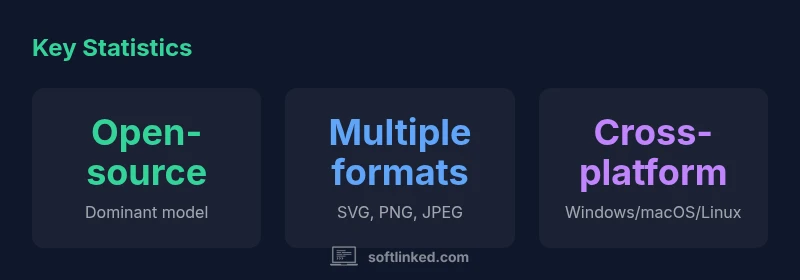
Most free graphic art software supports cross‑platform execution, with popular options available on Windows, macOS, and Linux. Some titles also offer portable versions or lightweight builds, which can be advantageous on modest hardware. While high-end 3D or feature-rich suites may demand more RAM or GPU power, foundational tools in this space tend to run well on midrange computers. If you’re on older hardware, prioritize lightweight editors, enable offline work modes, and disable unnecessary plugins to maintain responsiveness. Always check the official system requirements and test a small project to gauge responsiveness before committing to a long workflow.
Evaluating quality and feature parity
Quality assessment hinges on feature parity with paid editors, stability, and user experience. Critical features include non-destructive editing, layer management, selection tools, color management, export formats, and a robust plugin ecosystem. Free tools vary widely in maturity; some offer mature painting engines with extensive brush libraries, while others focus on vector precision or basic photo editing. Use a feature checklist to compare options: support for essential formats (SVG, PNG, JPEG, TIFF), layer and mask capabilities, alignment tools, keyboard shortcuts, and performance during common tasks like exporting high-resolution images. Don’t overlook documentation quality and community-driven tutorials that accelerate learning curves.
Starter workflows and sample projects
To begin with graphic art software free, set up a simple project: a logo or poster with a vector element, a raster painting exercise, and a basic photo edit. Start with Inkscape for vector shapes, GIMP for photo editing, and Krita for digital painting. Create a small brand kit: color palettes, font selections, and a few texture brushes. As you progress, integrate layers, masks, and transparency to build more sophisticated compositions. Hands-on practice with small, guided projects accelerates skill acquisition and helps you compare how different tools handle common tasks like exporting assets for web or print.
Safety, licensing pitfalls, and update considerations
Free software can reduce upfront costs but requires careful licensing awareness. Always verify what you can legally do with assets you generate and whether attribution is required for commercial work. Be cautious of unofficial installers or bundled adware when downloading from obscure sources; prefer official project pages or trusted repositories. Keep your tools updated to receive security fixes and feature improvements, but avoid nebulous or unsolicited add-ons. If a project changes its licensing model, reassess how you’ll incorporate it into your workflow and consider maintaining a parallel workflow with another free option to avoid vendor lock-in.
Building a sustainable free graphics toolkit: plugins and community
A thriving ecosystem of plugins, brushes, and templates can dramatically extend a free graphic art software setup. Community hubs, official repositories, and user forums often host plugins for improved brushes, export formats, and automation workflows. Because free tools are community-driven, you should contribute back by sharing your assets, reporting issues, and helping new users. This collaborative approach not only enhances your own capabilities but also strengthens the broader ecosystem, ensuring longevity and ongoing improvements for newcomers and experienced artists alike.
Representative free graphic art software options across raster, vector, and painting domains
| Software | License | Platform | Primary Use |
|---|---|---|---|
| GIMP | GPL-3.0 or later | Windows/macOS/Linux | Raster image editing and composition |
| Inkscape | GPL-3.0-or-later | Windows/macOS/Linux | Vector illustration and design |
| Krita | GPL-2.0+ | Windows/macOS/Linux | Digital painting and concept art |
Your Questions Answered
What exactly counts as free in graphic art software?
Free in this context refers to software that you can download and use at no initial cost. This includes open-source projects, freeware, and donationware. Licensing terms vary, so always read the terms to understand restrictions on commercial use and redistribution.
Free means you can download and use it without paying; check licenses for commercial use and redistribution.
Can free tools replace paid software for professional work?
Free tools can handle many professional tasks, especially for learning, concept art, and initial assets. However, paid options often offer advanced features, support, and reliability suitable for large-scale production. Evaluate your project scope, required features, and support needs before deciding.
Free tools can be enough for learning and small projects, but consider features and support for larger workflows.
Are there risks using free software for commercial projects?
Yes, licensing terms and export rights may limit commercial use or require attribution. Ensure assets you create are compliant with the license, and avoid bundled third-party code or assets that violate terms. Always document licensing and provenance.
Licensing terms matter for commercial work; verify rights and attribution before using assets.
Which tool is best for vector graphics among free options?
Inkscape is widely recommended for vector work due to its robust feature set and active community. It handles shapes, typography, and scalable graphics well, making it a solid starting point for logos and icons.
Inkscape is a strong free choice for vector graphics.
How do I verify licensing before using templates or assets from free tools?
Check the license file and project page for usage rights, redistribution allowances, and attribution requirements. If in doubt, reach out to the maintainers or choose a different tool with clear terms.
Always read the license and attribute where required.
What hardware requirements should I expect for free graphic art software?
Free graphic art software generally runs on modest hardware, but performance scales with project complexity. Start with lighter projects, monitor memory usage, and upgrade only if you consistently hit limits during typical tasks.
Expect moderate hardware needs; start small and scale as needed.
“Free graphic art software can empower beginners to learn fundamentals without the risk of high upfront costs.”
Top Takeaways
- Identify your primary task (raster vs vector) to pick the right free tool.
- Confirm licensing aligns with your intended use and distribution.
- Leverage open-source communities for plugins and learning resources.
- Test performance on your hardware before committing to a project.
- Combine multiple free tools for a complete workflow (vector + raster + painting).