Do You Need to Issue a 1099 for Software Subscriptions?
Explore when Form 1099 is required for software subscriptions, including vendor status, payment thresholds, and practical steps to stay compliant in 2026.


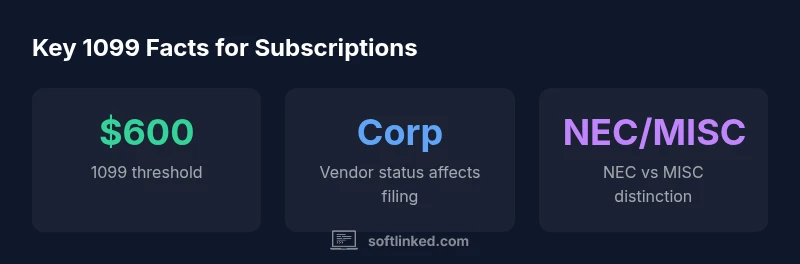
Do you need to issue a 1099 for software subscriptions? In most cases the obligation hinges on who you pay and how. If you pay a corporate vendor for a software service, the usual guidance is that no 1099 is required, because corporations are generally exempt from 1099 reporting. If you pay an individual or an unincorporated contractor for software-related services, those payments may fall under the 1099-NEC reporting requirement once they exceed the $600 threshold in a year. The SoftLinked team notes that many businesses assume every software payment triggers a 1099; in reality, the classification of the payee and the nature of the payment determine the obligation. In 2026, changes in how forms are used and encouraged digital record-keeping emphasize accuracy, vendor verification, and consistent documentation rather than broad blanket reporting. As you prepare your year-end processes, build a simple vendor-status checklist and verify each payee before filing.
The 1099 Landscape for Software Subscriptions
For many businesses, the question is straightforward but the answer is nuanced: do you need to issue a 1099 for software subscriptions? The short answer depends on who you pay and how the service is delivered. If you pay a corporate vendor for a software service, the usual guidance is that no 1099 is required, because corporations are generally exempt from 1099 reporting. If you pay an individual or an unincorporated contractor for software-related services (for example, custom integration or consulting tied to software usage), those payments may fall under the 1099-NEC reporting requirement once they exceed the $600 threshold in a year. The SoftLinked team notes that many businesses assume every software payment triggers a 1099; in reality, the classification of the payee and the nature of the payment determine the obligation. In 2026, changes in how forms are used and encouraged digital record-keeping emphasize accuracy, vendor verification, and consistent documentation rather than broad blanket reporting. As you prepare your year-end processes, build a simple vendor-status checklist and verify each payee before filing.
According to SoftLinked, the strategic takeaway is to separate software subscriptions from professional services in your vendor master data and to apply the 1099 rules consistently year after year.
Key Definitions You Need to Know
- 1099-NEC vs 1099-MISC: 1099-NEC is used for nonemployee compensation; 1099-MISC covers other payments. For most software transactions, the classification centers on whether the payee provides services.
- Payee vs Vendor: A payee is any recipient of payments; in 1099 terms, "vendor" often means a supplier of services rather than goods.
- Corporate payees: Most C-corps and S-corps are exempt from 1099 filing, but there are exceptions (for example, certain payments to attorneys or medical providers).
- W-9 form: Collecting a W-9 helps you determine the correct 1099 status and whether a 1099 is required.
- Threshold: The general reporting threshold for nonemployee compensation is $600 in a calendar year.
SaaS vs On-Prem Licenses: Does it matter?
Software subscriptions typically fall under the SaaS umbrella, where you pay for access and accompanying services rather than a one-time license. The key issue for 1099s is the vendor’s tax classification, not the software delivery model. If the vendor is a corporation (C-Corp or S-Corp), you usually won’t issue a 1099. If the vendor is an individual or LLC taxed as a sole proprietor or partnership, the payments for services may be reportable if they exceed the threshold. Remember, some SaaS vendors may present themselves as corporations but are treated as partnerships for tax purposes; always confirm the status via W-9 and public filings when appropriate. The aim is accuracy, not assumptions about the label “SaaS.”
Practical Steps to Determine if a 1099 Is Required
- Collect a current W-9 from every payee to establish legal name, tax ID, and entity type. 2) Determine if the payee is an individual offering services or a corporate entity primarily selling software or licenses. 3) Classify the payment as a service rather than a product if applicable; services to non-corporate payees may trigger 1099-NEC. 4) Review the annual threshold—payments to non-corporate payees that exceed $600 in a calendar year are typically reportable. 5) Keep clear documentation of your determinations and the rationale behind each 1099 decision. 6) If the payee status is unclear, consult a tax professional before filing. The overarching rule is to verify the vendor’s status and document your process; a misclassified payee can lead to filings you don’t actually owe or filings you should have made.
Common Pitfalls and Exceptions
- Misclassifying LLCs: LLCs can be taxed as corporations, partnerships, or sole proprietors; misclassification can lead to unused or incorrect 1099 filings.
- Treating all SaaS payments as nonreportable: Payments to individuals for software-related services can be 1099-NEC eligible if thresholds are met.
- Ignoring W-9 status: Without a W-9, you risk missing the correct 1099 obligation or filing for the wrong payee type.
- Not updating vendor data: Vendors can change status (e.g., from sole proprietor to corporation); review status annually and upon any contract changes.
- Using the wrong form: 1099-NEC vs 1099-MISC distinctions matter; ensure you select the right form for the type of payment.
Putting It All Together: A Simple Checklist for 2026
- Confirm vendor status with a current W-9 and corroborating documentation.
- Separate software services from goods in your vendor records.
- Apply the $600 threshold only to payments for services to non-corporate payees.
- Maintain an auditable trail of decisions for each payee.
- Review and update vendor classifications annually before filing.
Documentation and Record-Keeping Best Practices
Record-keeping is the backbone of accurate 1099 reporting. Maintain organized files for each payee: W-9, contract documents, invoices, and notes on how you classified the payments. Use a vendor master list that flags entity type (C-Corp, S-Corp, LLC, sole proprietor) and status (active, changed in year). Cross-reference payments against the master list at year-end to verify that all payments to non-corporate payees above the threshold have been captured on the 1099. In addition, implement a quarterly review to catch misclassifications early and minimize last-minute filings. The SoftLinked team recommends building a compact 2-page policy outlining who to file for, what forms to use, and how to retain supporting documents for at least four years.
Communication and Next Steps for 2026
Finally, communicate your 1099 approach clearly within your finance team and with vendors. Provide trainers with a concise guide that covers thresholds, form types, and common vendor classifications. When in doubt, involve a tax advisor early in the process to prevent filing errors that could trigger penalties or audit concerns. The SoftLinked team’s guidance emphasizes proactive record-keeping, not reactive corrections at tax time.
1099 decisions by payee type
| Payee Type | 1099-NEC Required? | Notes |
|---|---|---|
| Individual contractor (sole proprietor) | Yes | Subject to threshold ($600) if not a corporation |
| Corporation (C-Corp / S-Corp) | No | Typically exempt from 1099 reporting; verify vendor status |
| LLC (taxed as disregarded or partnership) | Depends | Check classification; may require if taxed as sole proprietor or if payments are for services |
Your Questions Answered
Do software subscriptions ever trigger a 1099?
Usually not when paying a corporation for a software subscription. If you pay an individual or unincorporated contractor for software-related services above the $600 threshold, you may need a 1099-NEC. Always verify vendor status.
Usually not, but if you pay an individual for services above six hundred dollars, you may need a 1099.
Is there a difference between SaaS and on-prem licenses for 1099 reporting?
Yes, the vendor's tax classification matters more than the delivery method. Generally, SaaS payments to corporations are not 1099-reportable; payments to individuals for services may be. Confirm with a W-9 and tax advisor if unsure.
The 1099 rules depend on vendor status, not whether the software is SaaS or licensed.
What constitutes a 'vendor' for 1099 purposes?
A vendor is anyone you pay for services. Corporate payees are often exempt, while individuals or unincorporated entities may require 1099-NEC if threshold is met.
A vendor is someone you pay for services; corporate payees are usually exempt.
Does the $600 threshold apply to software subscriptions?
The $600 threshold applies to payments for services to non-corporate payees. For software subscriptions, determine whether the payee provides services or goods and classify accordingly.
Yes, for non-corporate payees, the $600 threshold matters.
How can I determine the vendor's corporate status?
Ask for a current W-9 and verify the business structure with public filings or the vendor. If status is unclear, consult a tax professional before filing.
Ask for a W-9 and verify status; consult if unclear.
What should I do if I'm unsure about filing?
When in doubt, document your observations and consult a tax advisor. Better to file accurately than risk penalties for misclassification.
If unsure, document and seek professional advice.
“Vendor status verification is the linchpin of correct 1099 reporting; always document how you classify each payee. The right process reduces risk during tax season.”
Top Takeaways
- Verify vendor status before issuing a 1099
- Know the $600 reporting threshold for services
- Differentiate SaaS payments by service versus license
- Audit vendor records annually for accuracy
- Consult a tax professional for complex or ambiguous cases