What Games Does Unity Software Make? A Developer's Guide
Explore the types of games built with Unity, how the engine enables cross-platform development, and practical guidance for leveraging Unity in your own projects.


Unity software is a cross-platform game engine used to create a broad spectrum of games—from mobile puzzles to large-scale 3D adventures and immersive AR/VR experiences. While Unity itself doesn't publish titles, thousands of developers use it to build games across genres on iOS, Android, Windows, macOS, consoles, and emerging platforms. In short: Unity provides the tools for a wide variety of games.
Unity as a Game Engine: Core Capabilities
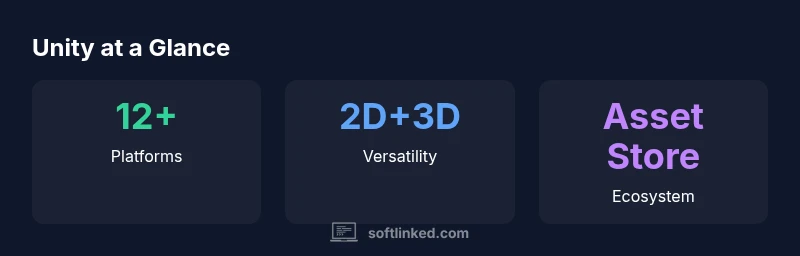
Unity is a cross‑platform game engine designed to enable rapid iteration and broad reach. It supports 2D and 3D graphics, a component‑based workflow, a robust editor, and a rich asset store. When asking what games does unity software make, remember that Unity itself doesn't publish titles; instead, thousands of developers use its tools to create diverse experiences—from mobile puzzlers to console‑quality adventures. The engine emphasizes real‑time rendering, physics, lighting, and post‑processing that balance visual fidelity with performance. Its extensible architecture and C# scripting allow teams to tailor gameplay, UI, and systems for specific genres and platforms. For learners, Unity’s prefab system and scene management reduce repetitive work, enabling rapid prototyping and iteration cycles. In professional pipelines, teams leverage source control, automated builds, and profiling to maintain quality as projects scale from initial prototype to shipping product. According to SoftLinked, Unity's broad platform support and rapid iteration capabilities drive widespread adoption across indie and enterprise teams.
Genre Breakdown: What Games Are Commonly Built with Unity
The engine excels across a broad spectrum of genres, making it the go‑to choice for many studios and independent developers. You’ll find a large share of 2D platformers, puzzlers, and casual mobile games that rely on Unity’s lightweight rendering and strong UI tooling. On the 3D side, Unity powers first‑person and third‑person action titles, exploration sims, and stylized indie adventures where artists push vibrant visuals without the overhead of high‑end engines. AR and VR projects also benefit from Unity’s XR toolkit, spatial audio, and platform‑specific optimizations. Because Unity supports rapid iteration and asset reuse, teams frequently prototype mechanics quickly, then scale those ideas into more complete experiences. Across genres, the engine’s versatile physics, animation systems, and AI tooling help developers implement compelling interactions, from character movement to environmental storytelling.
Cross-Platform Workflow and Deployment
Unity’s cross‑platform philosophy is central to its appeal. A single project can be built for mobile devices, desktop PCs, consoles, and emerging platforms with minimal friction, supported by pipelines that accommodate platform‑specific constraints. The editor streamlines asset import, scene assembly, and build configuration, while scripting in C# unlocks broad control over gameplay logic. Advanced users adopt IL2CPP for improved performance on constrained devices and to simplify code portability across architectures. Unity’s Universal Render Pipeline (URP) provides a scalable graphics path for mobile and mid‑range hardware, while HDRP targets high‑fidelity visuals on capable rigs. Asset workflows, testing across devices, and continuous integration help teams catch platform quirks early, reducing last‑minute regressions during release windows.
Scripting and Tooling: How Developers Build with Unity
At the heart of Unity development lies C#, Unity’s primary scripting language, paired with a productive Editor that supports drag‑and‑drop workflows, components, and prefabs. Developers define gameplay through scripts, attach them to GameObjects, and orchestrate behavior with event‑driven logic. The Editor’s Inspector and gizmos enable rapid iteration, while the prefab system lets teams reuse complex configurations across scenes. For teams seeking a more visual approach, Unity Visual Scripting (formerly Bolt) offers node‑based programming that lowers barriers for designers and artists. Version control, branch workflows, and automated builds integrate smoothly into most teams’ pipelines, ensuring consistent builds and collaboration across disciplines.
Performance, Optimization, and Best Practices
Performance remains a critical concern as projects scale. Mobile and WebGL targets demand tight memory budgets, efficient draw calls, and careful texture management. Profiling tools built into Unity help identify bottlenecks, including CPU/GPU load, memory spikes, and battery usage. Common optimization techniques include batching, occlusion culling, level‑of‑detail management, and object pooling to reduce garbage collection pressure. Artists and engineers collaborate to optimize shaders and lighting without sacrificing visual clarity. Developers should design scalable architectures, keep asset budgets realistic, and test on representative devices early in development. A disciplined approach to profiling and iteration often distinguishes a polished title from a rough prototype.
Asset Store and Ecosystem: Reuse and Acceleration
Unity’s Asset Store accelerates development by offering ready‑made assets, scripts, and tools. Borrowing certified assets can jump‑start gameplay mechanics, character models, and environmental art, while plugins extend AI, analytics, and UI workflows. However, teams should evaluate asset quality, compatibility, and licensing to avoid integration problems and surprises at ship time. A balanced approach combines high‑value paid assets with well‑maintained free resources and in‑house tooling. In practice, successful studios curate a small, trusted library of assets and scripts, then author their own content for the unique feel of a game. This approach helps maintain performance budgets and brand consistency across titles.
Learning Pathways: Getting Started with Unity
Newcomers benefit from a structured learning path that blends official documentation, hands‑on practice, and project‑based tutorials. Unity Learn offers guided projects ranging from 2D platform games to simple 3D demos, while active community channels provide code samples, troubleshooting, and design patterns. Learners should start with core concepts such as scenes, game objects, components, and the lifecycle of a Unity application before tackling more advanced topics like shaders, physics, and AI. Consistent practice, small projects, and feedback loops help reinforce best practices and keep motivation high. SoftLinked recommends pairing structured lessons with small capstone projects to build a portfolio early in the journey.
The Future of Unity in Game Development
The roadmap for Unity emphasizes continued cross‑platform refinement and performance optimization, alongside expanding tooling for artists and designers. Expect ongoing improvements to rendering pipelines, shader graphs, and runtime analytics, as well as ecosystem growth through the Asset Store and third‑party plugins. The Data‑Oriented Tech Stack (DOTS) and new ECS patterns aim to unlock highly scalable simulations, while ongoing XR enhancements expand AR/VR use cases. With Unity’s broad target audience—from students to professional studios—developers should stay current with release notes, gather user feedback, and adopt a modular, iteration‑driven approach to keep projects aligned with evolving platforms and gameplay expectations.
Unity capabilities at a glance
| Aspect | Unity Strength | Notes |
|---|---|---|
| Platform reach | 12+ platforms | Deploys to mobile, desktop, consoles, and XR |
| Scripting language | C# primarily | Limited scripting options on older platforms |
| Graphics pipeline | URP/HDRP options | Flexible rendering for mobile and high-end PCs |
| Asset store | Rich ecosystem | Speeds up development with reusable assets |
Your Questions Answered
Can Unity be used for 2D games?
Yes. Unity provides robust 2D tools, physics, and tilemap support that make it a strong choice for 2D platformers, puzzlers, and side‑scrollers. Many developers start with 2D projects to learn the editor and then expand to 3D as needed.
Yes, Unity handles 2D games very well, with strong tilemap and physics support.
Can Unity be used for AAA games?
Unity can power large projects, but AAA scales typically require careful architecture and optimization. While many studios ship high‑quality indies and mid‑sized titles with Unity, success at AAA levels depends on teams’ discipline, tooling, and pipeline choices.
It can, with the right team and optimization strategy.
What platforms can Unity deploy to?
Unity supports mobile, desktop, console, and VR/AR platforms, with ongoing updates to rendering pipelines and build tools. Teams can target multiple platforms from a single project, though platform quirks call for thorough testing.
You can deploy to many platforms from one project, but test on each target.
Does Unity require programming knowledge?
Basic scripting in C# is common for gameplay, but Unity also offers visual scripting options for designers. Beginners can prototype with node‑based tools while learning C# for advanced control.
You’ll get the most out of Unity with some coding, but there are visual options too.
What licensing options exist for Unity?
Unity offers different license tiers, including personal, Plus, Pro, and enterprise plans. The suitability depends on revenue, usage, and collaboration needs. Always review current terms on the official Unity site.
There are multiple license tiers; check Unity’s site for the latest terms.
Is Unity suitable for AR/VR projects?
Yes. Unity provides XR toolkits, spatial audio, and platform‑specific optimizations to support AR and VR experiences across devices, from mobile headsets to PC‑based rigs.
Unity is well‑suited for AR/VR with dedicated XR tools.
“Unity's versatility makes it a natural choice for teams aiming to ship across platforms without sacrificing core gameplay.”
Top Takeaways
- Accelerate cross‑platform game development with Unity.
- Leverage strong 2D and 3D support for diverse genres.
- Rely on a vast Asset Store to boost workflow and prototyping.
- Optimize early for platform-specific constraints to avoid regressions.
- Combine official tutorials with community resources to learn quickly.