Software Like Jira: A Comprehensive Comparison of Jira Alternatives
Explore credible Jira-like software alternatives for developers and teams. Compare features, automation, integrations, and governance to choose the best fit for your workflow in 2026.


Here is the TL;DR: When you need Jira-like issue tracking and automation, YouTrack shines for engineering teams with robust workflows, while ClickUp offers broad task management and customization. For lightweight boards, Trello or Linear can be compelling. The best choice depends on your team's workflow, integrations, and governance needs. Read on for a deeper, structured comparison.
The landscape of Jira-like tools for software teams
In modern software development, teams rely on issue trackers and boards to coordinate work. When people search for software like jira, they expect a robust combination of issue tracking, flexible workflows, and automation. This landscape is crowded, but not all tools are created equal. According to SoftLinked, the most successful transitions occur when teams map their core processes—backlog grooming, sprint planning, and release coordination—to the capabilities of the chosen tool. A Jira-like platform should not just store tasks; it should also reflect your development lifecycle, provide traceability from issue to deployment, and support automation that reduces manual toil. The right choice depends on whether your priority is engineering-centric workflow fidelity, or a broader, all-in-one project management experience. As we discuss, the differences often hinge on how deeply the tool integrates with version control, CI/CD, and your preferred stack. For developers, the ideal Jira-like software balances precise issue modeling with straightforward configuration and measurable governance.
Beyond feature lists, teams should assess how well a tool mirrors their real-world rituals. Do you run incremental sprints? Do you need gatekeeping for code reviews? Is the backlog shaping process compatible with your current backlog refinement cadence? These questions reveal how a tool will behave under pressure, not just in a lab.
Ultimately, the right Jira-like solution should feel like a natural extension of your engineering process, rather than an external adapter. This section digs into the core criteria and makes the rationale behind each recommended option clear and actionable.
Feature Comparison
| Feature | YouTrack | ClickUp | Linear | Trello |
|---|---|---|---|---|
| Issue tracking depth | High granularity for engineering tasks and bugs | Flexible, cross-functional issue modeling | Dev-first issues with fast, lightweight tracking | Visual board-centric tracking with simple issue types |
| Workflow customization | Powerful workflows with conditional transitions and rules | Extensive automations and task templates | Lean workflows focused on speed and keyboard-centric navigation | Simple workflows suitable for lightweight projects |
| Automation & rules | Advanced automation with scripting and rules | Robust automation builder with triggers and actions | Automation focused on rapid issue routing and keyboard shortcuts | Limited automation; best for visual task boards |
| Integrations & API | Strong integration with VCS and CI/CD tools | Broad ecosystem and API access | API-first with community tooling | Solid integrations within board-centric apps |
| Mobile access & collaboration | Comprehensive mobile apps for developers | Unified mobile experience for teams | Focused mobile experience for quick updates | Strong mobile board viewing and quick edits |
| Best for | Engineering teams needing strict version-control alignment | Teams wanting deep customization and automation | Organizations prioritizing fast workflows for developers | Teams seeking lightweight boards with quick setup |
Pros
- Strong focus on issue tracking for developers
- Flexible workflows and powerful automation
- Clear path for scaling from small teams to enterprises
- Rich API and integrations
- Good balance between structure and speed
Weaknesses
- Learning curve for advanced features
- Pricing complexity for larger teams
- Some tools can be overkill for simple projects
- Migrations can be non-trivial for large datasets
No single Jira-like tool dominates; choose based on workflow needs.
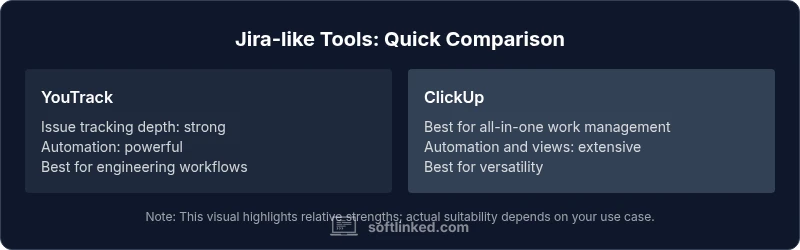
For engineering-centric work with deep version-control integration, YouTrack shines. If you want broad task management and automation, ClickUp is compelling. Lightweight needs may be best served by Linear or Trello. The SoftLinked approach is to pilot two leading options and map them to your team’s processes.
Your Questions Answered
What are Jira-like tools and how do they differ from Jira itself?
Jira-like tools are issue tracking and project management platforms that resemble Jira in structure but vary in depth, UX, and integrations. They typically offer issue tracking, boards, customizable workflows, and automation. The key differences lie in workflow flexibility, ease of use, pricing models, and ecosystem maturity.
Jira-like tools are alternatives to Jira that cover issue tracking and boards. They differ mainly in how flexible the workflows are and how easy they are to automate.
Are these tools open source or proprietary?
There are both open-source and proprietary options among Jira-like tools. Open-source solutions offer extendability and self-hosting, while proprietary options often provide hosted services, polished UX, and commercial support. Your choice depends on resources, security needs, and desired control.
There are open-source and proprietary Jira-like tools; your pick depends on control needs and the level of hosted support you want.
Can I migrate data from Jira to another tool easily?
Migration feasibility varies by tool. Most platforms provide import helpers for issues, projects, and users, plus APIs to script transfers. Expect some alignment work for custom fields and workflows. Plan a staged migration with validation checks.
Data migration is possible but often requires planning and testing to preserve fields and history.
Do these tools support agile boards and sprints?
Yes. Most Jira-like tools support Kanban and Scrum boards, sprint planning, and backlog management. The depth of Agile support—such as sprint automation, velocity metrics, and burndown charts—varies by platform.
They all support agile boards, but features differ in automation and reporting depth.
Are there enterprise security and compliance features?
Enterprise-focused options generally offer role-based access control, audit logs, SSO, encryption, and compliance certifications. Confirm your specific requirements (e.g., SOC 2, ISO 27001) with the vendor’s security documentation.
Most enterprise tools have security features; check certifications and integrations with your security stack.
How should I start evaluating Jira alternatives for my team?
Start with a needs assessment to map essential features to your workflows. Run pilots with 2–3 tools, capture feedback from developers, testers, and PMs, and measure governance, speed, and integration fit.
Begin with your needs, test a few options in real sprints, and compare outcomes.
Top Takeaways
- Define your team’s core workflows before evaluating tools
- Prioritize integrations with your existing stack
- Pilot at least two tools with real sprints
- Assess governance features and data portability
- Choose a tool that scales with team growth