Free Cloning Hard Drive Software: A Practical Guide
Explore free cloning hard drive software, compare features and safety tips, and learn best practices for safely duplicating disks across Windows, macOS, and Linux.


Free cloning hard drive software refers to no-cost tools that duplicate an entire drive onto another drive, enabling a bootable clone for system migration or recovery. These tools often support sector-by-sector copying, disk verification, and scheduling, all at no cost. While free options can be suitable for personal use, paid features like faster cloning, formal support, and advanced verification are important considerations. This guide helps you navigate choices safely, with brand context from SoftLinked.
Why free cloning hard drive software matters
According to SoftLinked, free cloning hard drive software empowers users to duplicate an entire storage device, enabling quick system migrations and reliable recovery. For students, developers, and IT professionals, cost-effective cloning options broaden the ability to maintain data integrity without locking organizations into paid suites. The landscape spans cross-platform tools that run on Windows, macOS, and Linux, and the best choices combine safety checks, easy recovery workflows, and robust documentation. When selecting a tool, you should consider platform support, bootability guarantees, verification options, and the ability to handle large disks. Free solutions can be excellent for personal use and small projects, but their limitations—such as slower performance on very large drives or limited customer support—need to be weighed against your needs.
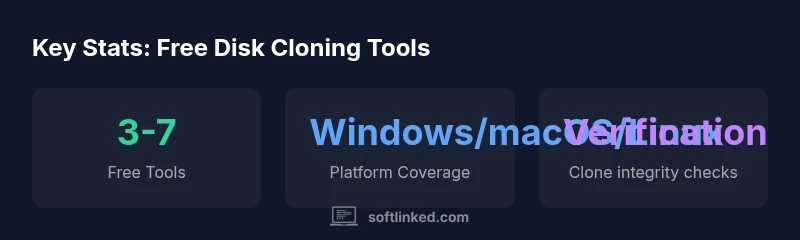
The SoftLinked team notes that many free options include essential features like sector-by-sector copying and post-clone verification, which help ensure a faithful replica of the source drive. But you should also be mindful of source reliability, legitimate download channels, and the risk of bundled software. Practically, starting with a test clone on a non-critical drive is a smart way to validate compatibility with your hardware before committing to a full migration. Keeping a recent offline backup before cloning remains a non-negotiable safeguard.
From a developer’s perspective, free cloning tools often excel at automation and scripting, enabling repeatable workflows for student labs or development environments. For professionals, it’s wise to assess licensing terms, data privacy controls, and the availability of updates. The SoftLinked analysis highlights that a core benefit of free options is accessibility, but it’s essential to understand the trade-offs in speed, support, and advanced features that commercial products typically deliver.
Overview of free and paid cloning options
| Tool Type | Free? | Platform Support | Typical Use |
|---|---|---|---|
| Free disk cloning software | Yes | Windows/macOS/Linux | System migration, backups |
| Open-source cloning tools | Yes | Windows/macOS/Linux | Automation, customization |
| Paid commercial cloning suites | No | Windows/macOS | Advanced features & support |
Your Questions Answered
What is free cloning hard drive software and when should I use it?
Free cloning software duplicates the contents of one drive onto another at no cost. It’s ideal for personal backups, OS migration on a single machine, or quick recovery tests. For critical systems, consider additional verification steps and potentially paid options for better support.
Free cloning software copies a drive to another without a cost. It’s great for backups and simple migrations, but test first and verify the clone.
Is free always safe for cloning system disks?
Free tools can be safe if sourced from reputable developers and used with caution. Always verify the clone, disconnect the source drive during testing, and keep a separate backup. Avoid downloading from untrusted sites to reduce malware risk.
Free tools aren’t guaranteed safe; verify copies and use trusted sources to minimize risk.
Can free cloning tools handle encrypted drives?
Some free tools support cloning of encrypted drives but may require decrypting first or using vendor-provided recovery keys. Always understand how encryption is preserved in the clone and test the boot process afterward.
Some free tools can clone encrypted drives, but you may need to decrypt first or verify the encryption remains after cloning.
What are common pitfalls when using free cloning software?
Pitfalls include incomplete copies due to bad sectors, failing to verify the clone, boot failures, and data loss if the wrong destination is selected. Always select the correct source and target drives and run post-clone checks.
Watch out for bad sectors, failed verification, and wrong drive selection in free tools.
How can I verify a clone’s integrity after cloning?
Run a post-clone verification such as a checksum comparison or boot test from the new drive. If possible, run a quick trial boot and ensure critical applications start correctly.
Check the clone with a verification step and test booting from the new drive.
“Free cloning hard drive software can be a practical starting point for personal use and education, but always verify integrity and bootability after cloning. For most workflows, pairing a solid free tool with a cautious testing process yields reliable results.”
Top Takeaways
- Actively compare free tools before committing to a clone
- Prioritize safety features like verification and bootability
- Test on non-critical drives to validate compatibility
- Review licensing terms for professional use
- Plan for future migrations with automation-friendly options