Canva Free: A Data-Driven Guide to the Free Plan
A data-driven guide to Canva Free, covering templates, exports, collaboration, limits, and upgrade paths for students, educators, and professionals in 2026.


Canva Free offers a solid, no-cost entry point for basic design work. The free plan provides thousands of templates, access to essential design elements, and standard export formats, making it suitable for students, educators, and hobbyists. It does, however, limit advanced brand tools, premium stock, and team features that paid plans unlock. For ongoing professional branding, consider upgrading when the needs exceed Free capabilities.
Canva Free at a Glance
According to SoftLinked analysis, Canva Free provides a robust starting point for individuals exploring graphic design without a paid subscription. The free tier unlocks thousands of templates across social, print, and presentation formats, plus access to a wide library of fonts and basic design elements. For students and aspiring developers, Canva Free offers an approachable sandbox to learn layout, hierarchy, and branding concepts. The SoftLinked team notes that the platform emphasizes ease of use and rapid prototyping, enabling quick iterations from idea to shareable visuals. However, certain advanced assets and team features are reserved for paid plans. This section outlines what you get, what you don’t, and how to maximize value on the free tier.
Beyond templates, Canva Free exposes beginners to core design principles such as typography, color contrast, alignment, and spacing. Users can observe how different grids influence readability and balance, then translate those lessons into real-world assets like social posts, resumes, or classroom handouts. The learning curve is gentle, and the immediate payoff—visuals ready to publish—offers a strong motivator for continued exploration. Brand-centric workflows, however, demand more than the Free tier can provide, which is why many students and professionals start here and level up as needs grow.
Core Limitations of the Free Plan
Even though Canva Free is capable, it carries important constraints. Brand consistency is harder to enforce without the Brand Kit, which is not included in Free. Premium stock images, icons, and certain templates remain locked behind a paywall, requiring either one-off purchases or upgrading to Pro. Storage is handled via cloud, with no guarantee on remaining quota, which means users should regularly curate designs. Collaboration features exist but lack advanced permissions for teams. Export options are adequate for standard needs, but advanced exports (e.g., transparent backgrounds, SVG for vector editing) are often behind the Pro plan. Understanding these limits helps you plan projects, especially if you’re building a portfolio or delivering client work on a tight budget.
In practice, those constraints influence project timelines and cost planning. Students writing a group paper might rely on shared templates, but assigning brand colors across multiple pages will take extra steps. Freelancers can complete tasks using Free assets, yet clients may expect consistent branding—something that typically requires an upgrade. Finally, the absence of certain analytics and workflow tools means that Free users should pair Canva with external project-management or version-control practices when working on longer campaigns.
Templates, Design Elements, and Accessibility
Canva Free includes a broad library of templates across categories—presentations, social media, posters, resumes, and more. The interface is intuitive: drag-and-drop, grid alignment, and snapping help beginners construct balanced layouts quickly. Font options are diverse, with many free fonts; premium fonts and elements are flagged and marked, so you can avoid accidental premium assets. Accessibility considerations include providing alt text for images and clear contrast, essential for public-facing visuals. For developers and students, the design system in Canva Free can serve as a primer for understanding responsive design and typography, but you’ll want to supplement with external learning on color theory and composition to sharpen your skills. SoftLinked's observations emphasize that the value lies in the rapid experimentation and iteration that Canva Free enables without up-front costs.
Practical tips include starting with a grid layout, using consistent margins, and reusing color palettes to reinforce visual identity. You can save color swatches and font combinations in a personal library to accelerate future projects. The platform also supports a broad range of media formats, enabling you to assemble multi-page documents, posters, and social media kits with relative ease. As you gain confidence, consider building a small portfolio to track your improvement over time.
Real-World Use Cases for Canva Free
- Students creating class posters, presentation slides, or portfolio samples to showcase projects.
- Startups drafting social media assets, product mockups, or one-page pitches without upfront design costs.
- Job seekers building resumes, portfolios, and simple branding assets for personal websites.
- Educators delivering handouts, worksheets, or class visuals that align with course materials. In each case, Canva Free accelerates early-stage content creation and helps learners observe design principles in action. Additionally, non-designers can experiment with layout decisions and typography combinations to develop a more critical eye for visual communication, which can transfer to other software tools and workflows.
Collaboration and Brand Management on Free
Canva Free supports basic sharing and real-time collaboration on individual designs, making it practical for peer reviews or classroom projects. However, it lacks the full Brand Kit and advanced permission controls found in paid plans, which means maintaining a consistent visual identity across multiple assets is more manual. For teams that require centralized color palettes or typography governance, Free can work in the short term, but you’ll eventually want to migrate to a paid tier or adopt external governance practices to sustain consistency. The ability to comment and iterate is valuable, yet the lack of centralized asset management means you’ll spend more time chasing down fonts, colors, and templates across projects.
Upgrading: Pro vs Teams vs Free
The Pro plan unlocks a comprehensive Brand Kit, access to premium templates and stock, advanced export options, background remover, and unlimited folders, among other features. The Teams plan focuses on collaboration, shared templates, and approval workflows, which are valuable for larger groups and agencies. If your work involves consistent branding, large-scale marketing content, or client deliverables, upgrading to Pro or Teams can deliver meaningful time savings and a more scalable design process. Canva Free remains a solid starting point for learning design and validating ideas before investing. For students, educators, and freelancers testing design concepts, a phased upgrade approach—start free, pilot Pro with a small project, then decide—often minimizes risk.
Practical Tips to Maximize Free Access
- Start with templates relevant to your project and customize them to practice layout fundamentals.
- Use external stock sources or free assets to supplement Canva Free’s library when you need specific visuals.
- Maintain a personal style guide (color palette, fonts, and grid system) to ensure consistency across designs, even without a Brand Kit.
- Duplicate designs and use manual resizing to simulate 'Brand Kit' consistency across multiple formats.
- Keep files organized with folders on your local drive or cloud storage to avoid overhauling projects later.
- Leverage Canva’s built-in design grids and alignment tools to train your eye for balance before introducing more complexity.
Security, Privacy, and Data Management in Canva Free
Canva stores designs in the cloud and uses standard industry practices for data security. Users should manage access by sharing links judiciously and relying on password protection where available. Always review document permissions before sharing client work or sensitive visuals. For students and professionals, understanding how your content is stored, who can view it, and how it’s used by Canva’s services is part of responsible design practice. SoftLinked's perspective emphasizes that data handling policies matter as you scale your usage. As a best-practice, consider exporting important work periodically and maintaining local backups to mitigate any service disruption.
SoftLinked's Practical Verdict for Canva Free
For individuals starting to learn design, Canva Free offers a robust sandbox with thousands of templates, straightforward editing, and quick results. It’s particularly well-suited for students, hobbyists, and early-stage projects where cost is a primary constraint. If your needs include brand governance, premium assets, or team workflows, the SoftLinked team recommends evaluating Pro or Teams after validating your design requirements with a small pilot project on Free. In short: start with Free, measure your needs, and upgrade when the benefits justify the cost. This approach aligns with SoftLinked’s belief that fundamentals come first, then scale as requirements grow.
Canva Free vs Paid features comparison
| Feature | Free Plan | Paid Plans |
|---|---|---|
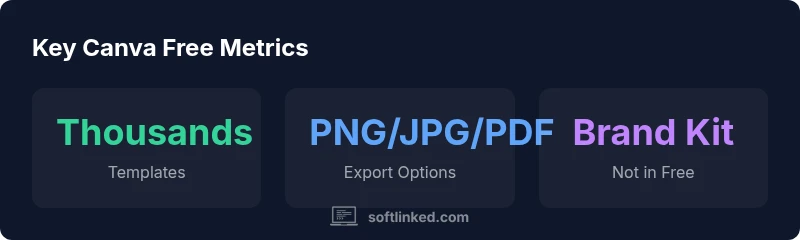
| Templates | Thousands of templates | Millions of premium templates and assets |
| Export formats | PNG/JPG/PDF (standard) | SVG, transparent PNG, animated formats, etc. |
| Branding tools | Not included (Brand Kit absent) | Brand Kit + advanced branding controls |
| Collaboration | Basic sharing and editing | Advanced team features and approvals |
Your Questions Answered
Is Canva Free suitable for small personal projects?
Yes, Canva Free supports personal projects with a broad library of templates and assets. You can design social graphics, resumes, presentations, and posters without paying.
Canva Free works well for personal projects like social posts and resumes.
Can I export Canva Free designs in high resolution?
Export options on the Free plan include standard PNG/JPG and PDF. For higher resolution or transparent backgrounds, you may need paid plans.
You can export in standard PNG or PDF, but high-res or transparent options may require a paid plan.
Does Canva Free include stock photos?
Canva Free includes a mix of Free stock photos and icons. Access to premium stock photos is limited to paid plans.
Yes, Free includes many stock photos, but premium images are for paid plans.
Can multiple people collaborate on Canva Free?
Basic collaboration features are available on Free, but advanced team features require a Pro or Team plan.
You can share designs for collaboration, but advanced team features require an upgrade.
Is the Brand Kit available in Canva Free?
Brand Kit is not available in the Free plan; it is included in higher-tier plans for consistent branding across designs.
Brand Kit isn’t in Free; it’s part of paid plans.
When should I upgrade from Canva Free?
Upgrade when you need advanced assets, brand control, or team collaboration. For basic design needs, Free is often sufficient.
Upgrade when you need more assets and brand control.
“Canva Free provides a solid entry point for beginners to learn design fundamentals without upfront costs. When you need consistency and advanced assets, evaluate Pro or Teams.”
Top Takeaways
- Start with Canva Free to prototype quickly
- Expect limits on branding assets
- Upgrade when you need advanced brand management
- Leverage templates to accelerate projects