Learn Language Software: A Practical How-To Guide
Discover practical strategies to choose and use language learning software. This SoftLinked guide covers features, comparisons, setup steps, and tips for effective practice.


Learn language software by selecting the right tool, setting clear goals, and following a structured setup. This guide helps beginners and professionals compare features, create a study plan, and start practicing right away. You'll learn how to align software with your schedule, evaluate outcomes, and avoid common pitfalls. By the end, you'll know how to pick a platform, begin with a starter plan, and measure progress effectively.
Definition and scope of language learning software
Language learning software refers to digital tools designed to help you acquire a new language through structured lessons, interactive activities, and feedback. These platforms range from mobile apps with bite-sized sessions to desktop programs with advanced analytics. When you search for a way to learn a language software, you’re usually looking for tools that can deliver consistent practice, intelligent spacing, pronunciation feedback, and accessible revision.
According to SoftLinked, the most effective language software combines three capabilities: a curated curriculum tailored to your level, adaptive scheduling that matches your available time, and actionable insights that show what to practice next. For students and professionals, the convenience of on-demand lessons means you can turn spare minutes into meaningful study. The SoftLinked team emphasizes that no single app will fit every learner; the best choice aligns with your goals, your preferred learning style, and your daily routine. In this section, we’ll walk through how to evaluate software features and how to map them to real learning needs.
Core features to evaluate when choosing software
When comparing language learning software, focus on features that drive long-term use and real-world speaking ability. Key elements include: a well-structured curriculum that scales with your level, adaptive practice that personalizes lessons, spaced repetition for long-term retention, accurate pronunciation feedback, and social or speech-enabled activities for real conversation.
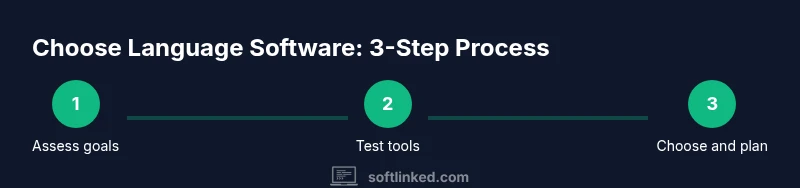
Consider offline access for travel or commutes, robust progress tracking to visualize growth, and clear pricing with a value-focused plan. Additional considerations include platform compatibility (iOS, Android, web), accessibility options for different learning needs, and the ability to export or review your data. SoftLinked recommends testing at least two tools during a trial period to compare how the curriculum aligns with your goals and schedule.
Popular approaches: spaced repetition, immersion, and feedback loops
Effective language software blends three core approaches. Spaced repetition builds durable memory by revisiting vocabulary at optimized intervals. Immersion features—such as contextual reading, listening drills, and interactive conversations—simulate real-world language use. Feedback loops give immediate corrections on pronunciation, grammar, and usage, which accelerates mastery.
Some tools emphasize gamified motivation (badges, streaks), while others prioritize serious study (structured textbooks, formal exercises). The best option supports your preferred learning style and keeps you engaged without overwhelming you with options. In practice, you’ll likely combine apps: one for vocabulary and grammar, another for speaking practice, and perhaps a third for structured courses or pronunciation drills.
How to align software with your goals
Before you commit, map your goals to concrete features. If your aim is conversational fluency, prioritize speaking practice, real-time feedback, and access to native content. If you need exam readiness, look for official-style practice tests, grammar drills, and progress analytics. Define how many minutes per day you can consistently devote to practice and choose software that fits that rhythm. Finally, consider your budget and whether the tool offers a scalable plan as you advance. SoftLinked emphasizes that goal alignment is the foundation of sustained progress.
Practical setups: daily routines and sample schedules
A practical setup starts with a 25–30 minute daily habit that alternates between vocabulary, listening, and speaking. For example: Monday through Friday, 10 minutes of vocabulary drills, 10 minutes of listening comprehension, and 5–10 minutes of speaking practice. Weekends can include a longer immersion session with real content (podcasts, shows, or articles). Use built-in reminders to stay consistent and set micro-goals (e.g., learn 20 new words this week). By structuring your sessions, you avoid fatigue and maximize retention.
Getting started: onboarding, trials, and onboarding checklists
Begin with a free trial to explore the interface, lesson structure, and feedback quality. Create a starter plan that includes a daily 20–30 minute block and one weekly review session. Complete any onboarding questionnaires to tailor the curriculum to your level. If the software offers pronunciation tests, take them early and periodically to gauge improvement. Keep a simple log of what you try and what works best for your routine.
Tracking progress: metrics, dashboards, and feedback
Effective tools provide dashboards that summarize progress across vocabulary, listening comprehension, and speaking accuracy. Track metrics like daily streaks, words learned, accuracy scores, and speaking fluency indicators. Use weekly reviews to compare goals with actual outcomes and adjust the plan as needed. Regular feedback—not just numbers—helps you understand patterns, such as which types of activities yield the biggest gains.
Common pitfalls and how to avoid them
Avoid relying on a single tool or neglecting speaking practice. If a platform emphasizes just quizzes, you may miss real conversation opportunities. Don’t sacrifice consistency for perfect content—start with a realistic routine and scale up gradually. Also, beware feature fatigue: disable notifications if they become distracting, and curate a short, focused set of activities you actually enjoy. Finally, guard time for authentic language use outside the software (language partners, classes, or clubs).
Integration with broader study habits: language partners, courses, and communities
Language software thrives when combined with live practice. Seek language partners or tutors for regular conversation; enroll in a weekly course to reinforce fundamentals; and engage with communities for accountability and cultural context. Use the software as a backbone, but actively insert real-world use into your routine. This approach accelerates retention and helps you transfer digital gains to real conversations.
Tools & Materials
- Smartphone or computer(Device capable of running the chosen software (iOS/Android/Windows/macOS).)
- Stable internet connection(Broadband or reliable Wi-Fi for streaming lessons and syncing data.)
- Account with language software(Sign up for a free tier or trial to evaluate features.)
- Headphones or earphones(Helpful for listening and pronunciation exercises.)
- Note-taking app or notebook(Use for grammar rules, phrases, and personal mnemonics.)
Steps
Estimated time: 60-90 minutes
- 1
Define goals and constraints
Identify the language, target level, time per day, and budget. Write SMART goals to guide your tool selection.
Tip: Draft one goal you expect to achieve in 4 weeks and another for 3 months. - 2
Evaluate learning styles and features
Consider whether you learn best from reading, listening, or speaking. Check for curriculum quality, adaptive pacing, and feedback quality.
Tip: Test at least two tools during a trial period to compare feel and effectiveness. - 3
Set up your account and preferences
Create target language settings, set daily goals, and enable reminders. Personalize the interface to reduce friction.
Tip: Turn on pronunciation feedback early to monitor progress. - 4
Create a starter 4-week plan
Map a weekly schedule with daily blocks for vocabulary, listening, and speaking. Include one weekly review.
Tip: Balance new material with spaced repetition reviews. - 5
Run a baseline and start practicing
Complete an initial assessment to establish a baseline. Begin with short, focused sessions and log results.
Tip: Record a short speaking sample to compare later. - 6
Review, adjust, and scale
Assess progress weekly; adjust goals or activities if progress stalls. Increase session length gradually as confidence grows.
Tip: If progress stalls, swap one activity type to reengage.
Your Questions Answered
How do I choose the right language software for my goals?
Define your language, target level, available study time, and budget. Compare tools based on curriculum quality, feedback accuracy, and scheduling. Use trials to assess fit and long-term value.
Start by defining your language and level, then test two to three tools during trials to find the one that best fits your schedule and goals.
Is a free language software enough for serious learning?
Free options can cover basics, but paid plans often unlock structured curricula, better feedback, and more extensive practice. Assess whether the paid features map to your goals and whether the investment is sustainable.
Free tools can be a good starting point, but plan for a paid option if your goals require a structured curriculum and progress tracking.
What features matter most when evaluating language software?
Prioritize a clear curriculum, adaptive pacing, pronunciation feedback, and robust progress dashboards. Availability of speaking practice with real-time feedback and offline access are strong bonuses.
Look for a curriculum you can follow, adaptive drills, and solid feedback to accelerate speaking and listening skills.
How long does it take to see progress with language software?
Progress timelines vary by frequency of practice, learning goals, and prior experience. Regular, focused sessions over a few weeks typically show noticeable gains in vocabulary and comprehension.
If you practice several times a week with focused sessions, you’ll start noticing improvements within a few weeks.
Can language software replace formal classes entirely?
Software can substitute for some self-guided aspects, but most learners benefit from a mix of tools, guided courses, and interaction with tutors or peers for speaking fluency.
It can replace some self-study, but most learners do best with a blend of software and live practice.
How can I measure progress effectively beyond scores?
Track consistency, retention, and speaking ability through regular assessments. Use qualitative notes on confidence and ability to understand real conversations, not just test results.
Measure by how often you practice, how well you understand real conversations, and how your speaking improves over time.
Watch Video
Top Takeaways
- Choose software aligned with your goals and time.
- Consistency beats sporadic, long sessions.
- Track progress with built-in metrics and reflect weekly.
- Use trials to compare features before committing.
- Combine software practice with real-world use for best results.