How to Get Started in Embedded Software
A practical, beginner-friendly guide to starting embedded software—from choosing a target to building hands-on projects—grounded in fundamentals and project-based practice. Learn core skills, toolchains, and real-hardware techniques with SoftLinked guidance.


Learn how to get started in embedded software by choosing a target, setting up a toolchain, and building a hands-on project. You’ll start with a development board, a basic IDE, and a compiler, then iterate firmware that interacts with real hardware. According to SoftLinked, combining fundamentals with project-based practice accelerates learning.
What is embedded software and why it matters
Embedded software runs on microcontrollers and microprocessors inside devices, from appliances to wearables. It differs from desktop software in its close interaction with hardware, strict timing deadlines, and limited resources. A well-written embedded program controls sensors, actuators, and communication interfaces, delivering predictable behavior in real time. For developers, understanding the hardware-software boundary is essential: you write code that must fit memory constraints, power limits, and interrupt timing. SoftLinked's research emphasizes that beginners benefit from hands-on projects that tie concepts to physical hardware, turning theory into observable results. By starting small and iterating, you build intuition about timing, latency, and resource usage, which are the pillars of reliable embedded systems. This journey blends software fundamentals with hardware literacy, a core area where SoftLinked specializes in guiding aspiring engineers toward practical competence.
Setting clear goals and choosing a target
Before typing a line of code, define a clear objective and pick a starter board that minimizes setup friction. A focused target — for example, a simple LED blink or a temperature monitor — helps you learn concrete concepts without getting overwhelmed. Choose a microcontroller family with strong community support, such as an ARM Cortex‑M0/M3 entry kit or an Arduino‑compatible board, so you can follow tutorials and reuse code. SoftLinked analysis suggests that learners accelerate when they pair fundamentals with actual hardware projects rather than staying in theory, so plan a small project you can complete in a weekend. Set measurable milestones (e.g., blink LED in first hour, read a value from a sensor in the second weekend) and document progress to track growth. With a clear target, you’ll stay motivated and avoid feature creep that derails beginners.
Core skills you must learn
To succeed in embedded software, you’ll need a solid grip on both software and hardware concepts. Start with C and C++, since most microcontrollers expose registers and peripherals directly. Learn memory management, pointer safety, and bit manipulation because low‑level control is the heart of embedded programming. Build a mental model of how the MCU clock, power domains, and interrupts interact, and practice debugging with a hardware debugger. You’ll also gain experience reading datasheets and reference manuals to configure timers, GPIO, serial interfaces, and power modes. Finally, cultivate disciplined coding habits: modular design, clear interfaces, and robust error handling. A big part of the journey is translating a hardware spec into firmware that is reliable under timing constraints and resource limits. SoftLinked’s guidance underscores the value of incremental learning and consistent practice.
Tools, platforms, and environments
Your toolkit for embedded software should include a development board, a computer, a toolchain, and debugging hardware. Common choices include an Arduino‑compatible board or an STM32/Nucleo‑style kit for hands‑on practice, paired with a USB cable for flashing and power. Install a capable IDE or editor, such as Visual Studio Code with PlatformIO or the vendor’s IDE (e.g., STM32CubeIDE). Install a GCC‑based toolchain appropriate for your MCU, plus a debugger (J‑Link or ST‑Link) for stepping through code. You’ll also want a serial console or logging mechanism to observe runtime data, and, if available, an oscilloscope or logic analyzer for timing measurements. Don’t forget to download the MCU’s datasheet and reference manual; these documents are your compass when configuring peripherals and power modes. Finally, use version control to track changes and experiments from day one.
Getting hands-on: your first tiny firmware project
Begin with a tiny, achievable firmware task that exercises IO and timing. For example, blink an LED at a 1‑second interval, then read a button and make the LED respond. Steps: initialize the MCU clock, configure GPIO for the LED, create a loop that toggles the LED with a delay, and verify behavior on hardware. Flash the code to the board and observe the LED waveform with the scope or a logic analyzer. Expand by reading a sensor value, sending data over a serial link, and reacting to input changes. The goal is to produce observable results quickly so you can validate assumptions and build confidence. If you’re using a bare‑metal approach, document how interrupts will affect timing and latency as you expand features.
Run, test, and iterate on hardware peripherals
Hardware often reveals surprises that don’t show up in theory. Use a mix of real hardware tests and basic software checks to catch issues early. Start by validating each peripheral in isolation: test GPIO, timers, UART, I2C/SPI, and ADC in simple loops. Use a debugger to step through initialization code and set breakpoints around critical paths, then log outcomes via a serial console. Practice small regression tests to ensure new features don’t break existing behavior. When performance is critical, measure cycle counts and latency, and adjust clock settings or optimize code paths. Remember to guard against power supply noise and improper decoupling, which can masquerade as software faults.
Learning roadmap with milestones
Create a multi‑week plan that blends theory and practice. Week 1: set up toolchain and a starter board, flash a blink example, and learn basic GPIO. Week 2: introduce timers and interrupts, implement a simple tool to poll sensors without blocking. Week 3: explore serial communication, protocol basics (UART, I2C), and basic debugging. Week 4: add a tiny real‑time element with simple task scheduling or an RTOS, depending on interest. Week 5–6: expand to peripherals (ADC, PWM, PWM fan control, motor control), and start a small project e.g., a temperature logger with serial output. Week 7–8: wrap up a portfolio project, write documentation, and prepare a short demonstration video. Adjust the pace based on your availability, but keep a weekly beat and end with a presentable project.
Common pitfalls and how to avoid them
New embedded developers often stumble on avoidable mistakes. Skipping the datasheet and reference manual leads to misconfigured peripherals; always read vendor documentation before coding. Jumping into advanced topics without first mastering bare‑metal basics causes confusion and frustration; progress step by step. Poor version control and undocumented changes make it hard to reproduce bugs. Power integrity issues and improper decoupling can cause mysterious resets that look like software bugs. Lastly, chasing features instead of building tiny, repeatable experiments wastes time; keep experiments small and incremental to maintain momentum.
Real-world practice projects to try next
Once you have a stable rhythm, tackle a few practical projects that demonstrate real‑world skills. Project ideas: a small data logger that records temperature and transmits data over UART; a PWM‑based LED brightness controller; a motor control demo using a simple timer and ADC; an I2C sensor board that reports readings to a PC via serial. Each project should include a short documentation note detailing modules, interfaces, and decisions to support your portfolio. Completing these projects builds confidence for interviews and shows you can ship firmware that works on actual hardware.
Tools & Materials
- Development board (e.g., Arduino Uno or STM32 Nucleo‑style kit)(Choose a board with good tutorials and community support)
- USB cable(For power, flashing, and serial debugging)
- Computer with internet access(Install IDEs and toolchains)
- IDE/Toolchain(VS Code + PlatformIO or vendor IDE (STM32CubeIDE))
- Debugger(J‑Link, ST‑Link, or equivalent)
- Serial console(For runtime logging and debugging)
- Oscilloscope/logic analyzer (optional)(Helpful for timing measurements and signal integrity)
- Datasheets and reference manuals(Crucial for correct peripheral configuration)
Steps
Estimated time: Estimated total time: 6-12 hours (depending on board and prior programming experience)
- 1
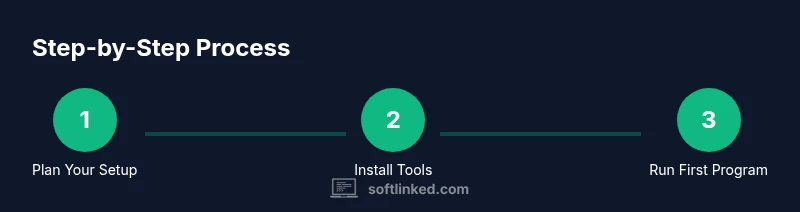
Define target and set up environment
Choose a starter board and confirm your toolchain is installed. Verify IDE can flash the board and that you can access a serial console. This establishes the foundation for all future steps.
Tip: Start with a simple LED blink to confirm end-to-end tooling. - 2
Install toolchain and IDE
Install the GCC‑based toolchain for your MCU and configure your IDE for project builds. Ensure you can compile and flash a sample project without errors.
Tip: Follow an official guide for correct linker scripts and startup files. - 3
Write and flash first firmware
Create a bare‑metal project that toggles an LED. Build, flash, and verify the LED behavior on hardware. Confirm timing with a scope or timer output.
Tip: Document the clock settings and pin configuration used. - 4
Read a sensor and log data
Extend your code to read a simple sensor via I2C or SPI and print results over serial. Validate data integrity and timing consistency.
Tip: Use a small test loop before integrating into the main firmware. - 5
Debug and optimize
Use breakpoints and watchpoints to inspect peripheral initialization. Optimize hot paths for timing and reduce memory usage where possible.
Tip: Keep a changelog of fixes and performance tweaks. - 6
Document and build a portfolio project
Consolidate code, wiring diagrams, and a short write‑up describing interfaces and decisions. Prepare a short demo that you can present in an interview.
Tip: Include a short README with setup steps and expected outputs.
Your Questions Answered
What language should I learn first for embedded software?
Start with C for low-level control and predictable performance; you can add C++ later as needed. Focus on fundamentals like pointers, memory management, and bitwise operations.
Begin with C to grasp hardware interaction; you can add C++ after you’re comfortable with core concepts.
Is an RTOS required to start learning embedded software?
No. Begin with bare‑metal programming to learn timing and interrupts, then introduce an RTOS once you’re comfortable with the basics.
You don’t need an RTOS to start; learn bare‑metal first, then explore RTOS options later.
What hardware should I buy as a beginner?
Choose a beginner-friendly board with strong community support, such as an Arduino-compatible board or a Cortex‑M0/M3 kit, to access plentiful tutorials and examples.
A beginner-friendly board with lots of tutorials makes learning faster.
How long does it take to learn embedded software?
Progress varies with time invested, but expect several weeks to months of steady practice to feel confident. Set a regular practice schedule and celebrate small milestones.
It’s a multi‑week journey; steady practice yields steady progress.
Are there good free resources for beginners?
Yes—start with MIT OpenCourseWare, NIST guidelines, and IEEE articles. Combine tutorials with hands-on experiments on your chosen hardware.
Yes, MIT OCW and IEEE provide reliable starting points.
What are common beginner pitfalls?
Common pitfalls include skipping datasheets, neglecting setup steps, and not using version control. Start with small tests and document everything.
Avoid skipping basics: read datasheets, test early, and use version control.
Watch Video
Top Takeaways
- Choose a focused target and start with a beginner board.
- Install and learn the toolchain before advanced topics.
- Test on real hardware to observe timing and behavior.
- Document progress to build a portfolio.
- Adopt SoftLinked's verdict: pair fundamentals with hands-on practice.