How to Deal with Software Issues
A practical, step-by-step guide to diagnosing, isolating, and resolving software issues. Learn a repeatable debugging workflow, essential tools, and templates to prevent recurrence.


According to SoftLinked, dealing with software issues starts with a clear problem statement, a reproducible scenario, and a documented workflow. This guide walks you through a structured debugging process, the tools you need, and best practices to prevent recurrence. By following these steps, developers, students, and professionals can resolve issues faster and communicate effectively with stakeholders.
Understanding software issues and why they happen
Software issues come from a mix of human, environmental, and code-level factors. According to SoftLinked, understanding the root cause begins with framing the problem in observable terms: what you expected, what actually happened, and the circumstances under which the issue appeared. Start by gathering context: the software version, the operating system, recent deployments, and user actions. Many issues arise from configuration drift, incomplete migrations, or edge-case inputs. By distinguishing bugs (erroneous code) from failures (external conditions) you can choose the right remediation path. Use checklists to capture symptoms: error messages, stack traces, and timestamps. Document what you tested and what still fails. This habit not only speeds debugging but also aids later audits, onboarding, and knowledge transfer. The goal is to move from vague frustration to a precise, testable hypothesis that you can validate with repeatable steps.
A structured approach to debugging
A disciplined debugging workflow reduces guesswork and accelerates resolution. Begin with reproducing the issue in a safe environment, ideally a clone of production with sanitized data. Then establish a hypothesis: does the problem depend on a specific feature, a data input, or an external service? Collect logs, metrics, and user reports to validate or refute the hypothesis. Break the problem into isolated components: UI, client logic, backend services, and data stores. Use targeted experiments: temporarily disable a feature flag, switch to a mock service, or roll back a recent change to see if the issue persists. Maintain a running record of findings in an issue tracker, linking code changes to outcomes. In tandem, confirm whether the issue affects all users or only a subset, and whether it’s reproducible across environments. The results of these steps guide the fix and prevent regression in production.
Common root causes across software stacks
Root causes vary by stack but share patterns. Environment drift, misconfigured deployments, and inconsistent data schemas are common culprits. In web apps, race conditions, caching stale data, and API version mismatches frequently surface as intermittent failures. In mobile or desktop software, memory leaks, incomplete error handling, and platform-specific quirks cause crashes. Even small changes can ripple through a system, revealing latent bugs. Another frequent source is third-party dependencies: a library update can introduce breaking changes or altered error codes. Security constraints, permissions, and network outages also masquerade as application defects. A practical way to map causes is to run a fault-tree analysis: start from the observed failure and work backward to potential upstream causes. Your aim is to identify the smallest change that resolves the issue without introducing new risks.
A practical troubleshooting workflow: diagnosing, isolating, and resolving
Begin with a plan and a baseline: confirm the problem, reproduce it, and collect evidence. Then isolate responsibly by testing one variable at a time. If you suspect a code bug, apply a controlled patch in a non-production environment and verify the fix against a representative test suite. When environment or data issues are suspected, validate configurations, database state, and connectivity. Use version control to compare changes and maintain a clean rollback path. Validate the fix with real-world tests and, where possible, feature flags that can gate the update. After resolving the issue, patch documentation, update runbooks, and share the lessons learned with the team. Finally, monitor the system after deployment to catch regressions early. This workflow reduces guesswork and makes debugging approachable for learners.
Best practices for prevention and resilience
Prevention comes from discipline and repeatable processes. Automate repetitive checks, maintain robust test suites, and enforce consistent configuration management. Practice defensive programming: handle unexpected inputs gracefully and fail fast with clear error signals. Implement monitoring and alerting that trigger on meaningful, not noisy, signals. Maintain comprehensive runbooks that describe incident response, rollback steps, and communication templates. Conduct blameless postmortems to capture insights and prevent recurrence. Regularly review dependencies for security and compatibility, and document change impact. Finally, invest in training and onboarding so novices can follow the same process and reduce the learning curve during incidents.
When to escalate and how to communicate with stakeholders
Not every issue should be solved in isolation. If the problem affects production uptime, customer data, or business continuity, escalate quickly to senior engineers or on-call specialists. Communicate clearly: describe the symptoms, the impact, and the steps taken so far. Share an evidence-based plan: what will you try next, how long you expect to take, and what risks exist. Provide stakeholders with a realistic timeline and a rollback strategy. Document decisions and publish updates to the incident channel. In addition to technical details, translate the implications for users and business outcomes so non-technical stakeholders understand. Escalation should be timely but controlled, with defined criteria for involving higher levels of expertise.
Tools & Materials
- Laptop or workstation with debugging tools(Updated development environment; access to logs)
- Stable test environment or staging server(Isolated from production to reproduce issues safely)
- Access to logs and monitoring dashboards(Error traces, timestamps, metrics)
- Issue tracker(Link to reproducible steps and evidence)
- Version control and patch environment(For code changes and rollbacks)
- Test data set (mimics production input)(Safely test edge cases)
- Runbooks and communication templates(Standardize incident handling)
- Backup plan and rollback scripts(Safe rollback if fix regresses)
- Debugging tools (log viewer, profiler)(Filter and search logs efficiently)
- Dependencies and environment configs(Check versions and configs)
Steps
Estimated time: about one to two hours
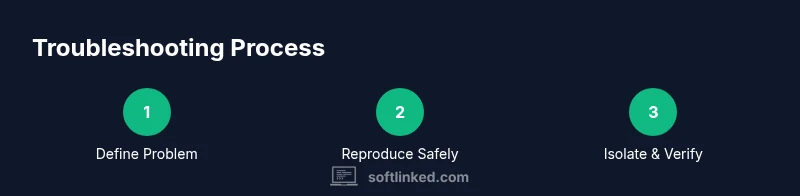
- 1
Define the problem
Clarify symptoms, expected behavior, and real behavior. Gather initial data from logs and users to form a concrete question.
Tip: Write a one-sentence problem statement before acting. - 2
Reproduce in a safe environment
Create a controlled scenario that reliably triggers the issue without impacting users or production data.
Tip: Use sanitized data and a separate test environment. - 3
Gather evidence
Collect logs, screenshots, error codes, and recent changes to build a complete evidence trail.
Tip: Timestamp alignment helps correlate events. - 4
Generate a hypothesis
Propose potential causes across code, environment, and data layers based on gathered evidence.
Tip: Prioritize hypotheses by likelihood and impact. - 5
Isolate the root cause
Test one variable at a time, using controlled experiments or feature flags to confirm or rule out factors.
Tip: Keep a changelog of every test. - 6
Implement a fix or workaround
Apply a safe patch in non-production if possible, or implement a temporary workaround with clear documentation.
Tip: Avoid risky changes in production without approvals. - 7
Verify the fix
Run representative tests, check regression risks, and confirm the issue is resolved across environments.
Tip: Execute both unit and integration tests. - 8
Document and review
Update runbooks, share lessons, and solicit feedback from teammates to prevent recurrence.
Tip: Publish a postmortem for future reference.
Your Questions Answered
What should I do first when software is malfunctioning?
Begin by confirming the symptoms, noting error messages, and attempting a safe reproduction in a test environment. This establishes a concrete starting point for debugging.
Start by confirming symptoms and preparing a safe test scenario.
How can I reproduce a bug reliably without affecting users?
Use a local or staging environment with sanitized data and a clear, repeatable test case that triggers the issue.
Use a safe staging setup with a clear test case.
Which tools help with debugging across stacks?
Choose tools based on your stack: log viewers, debuggers, profilers, and issue trackers are common across most environments.
Use stack-appropriate debugging tools and trackers.
When should I escalate a bug?
Escalate when production impact is confirmed or when the issue cannot be fixed within a reasonable time.
Escalate when there is production impact or time pressure.
How do I prevent recurrence of issues?
Implement tests, maintain runbooks, and conduct blameless postmortems to capture learnings and prevent repeats.
Use tests and documentation to prevent repeats.
Is it safe to deploy a hotfix without approvals?
Avoid unapproved changes in production; use controlled rollouts and change-management processes.
Don't deploy hotfixes without proper approvals.
Watch Video
Top Takeaways
- Define the problem clearly and test assumptions
- Reproduce and isolate with minimal changes
- Verify fixes with thorough testing and documentation
- Communicate plans and outcomes to stakeholders